
Stage planning that goes all the way to the console
Build the stage. Start the mix.
Create the plot, input list, and monitor mixes—then let AI build an X32/M32 show file with a full FOH starting mix, EQ, dynamics, sends, and effects.
Free during early access. Free to try instantly. No credit card.
Built for desktop, because your stage plot deserves a bigger screen than your phone.
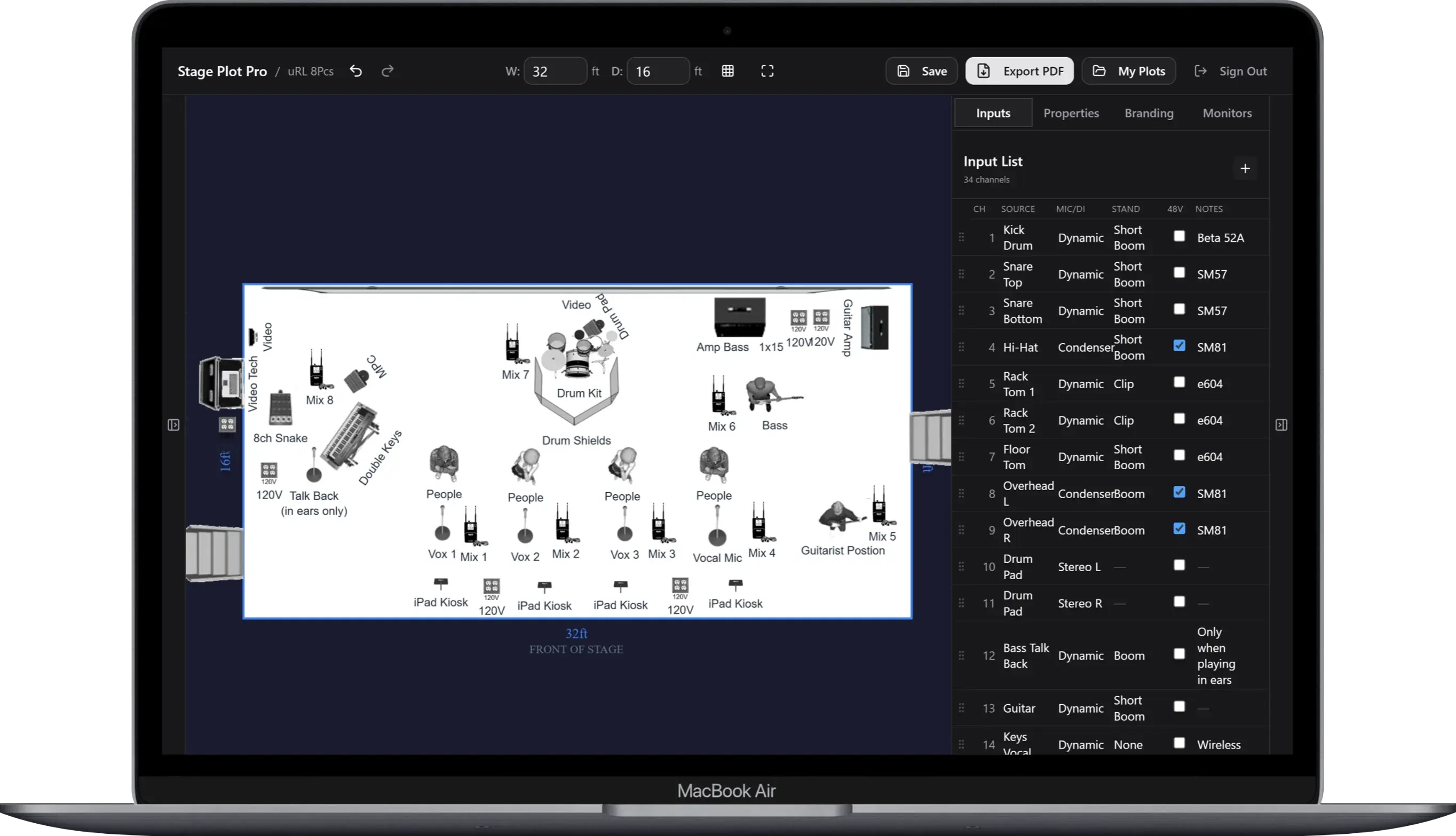
Every Gig Starts the Same Way
Your stage plot is a napkin sketch that got beer on it.
Your input list is a group chat that nobody reads.
Your monitor mix is whatever the sound engineer guesses.
You wouldn’t show up without tuning your guitar. Why show up without a stage plot?
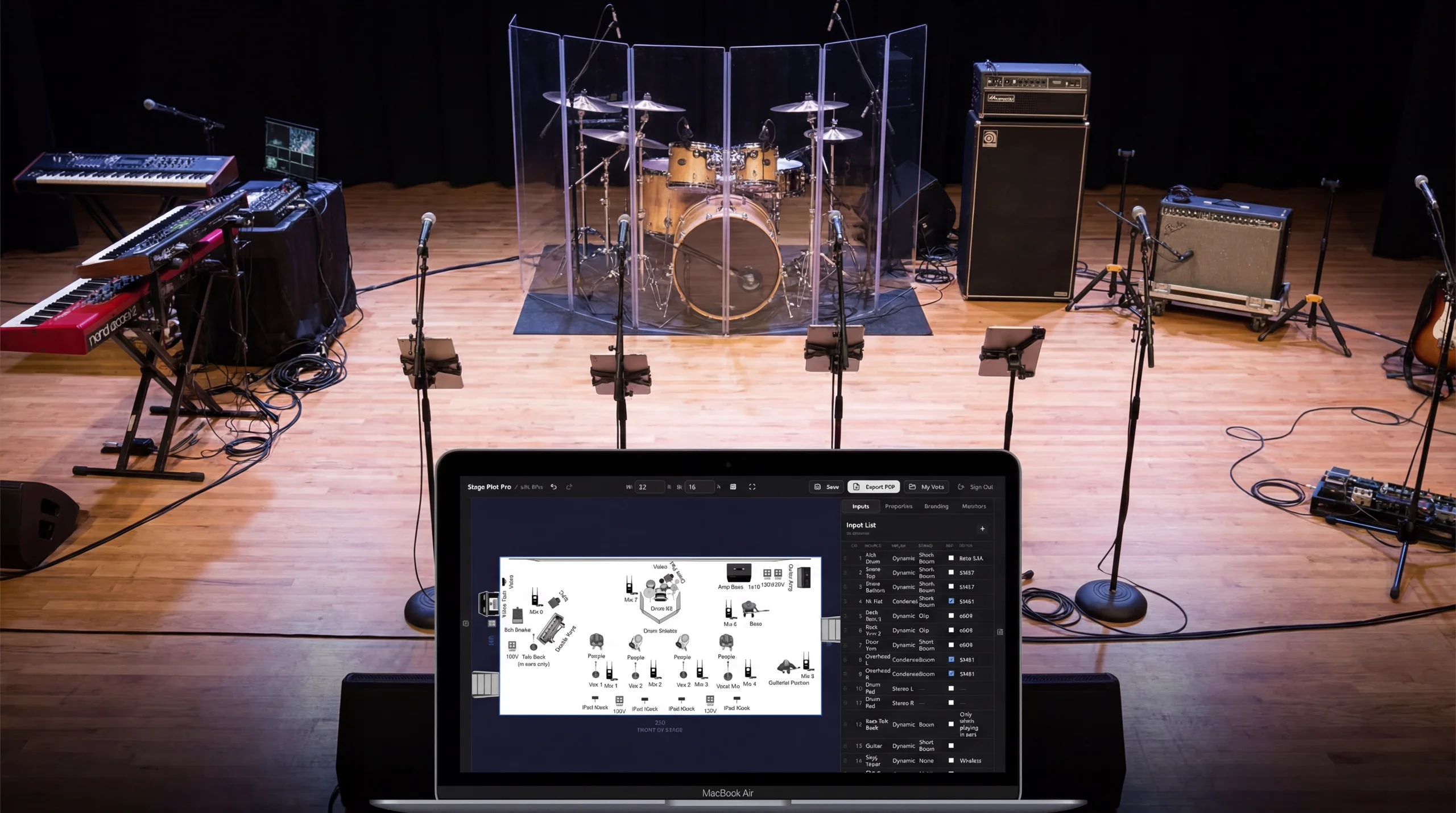
Faster Than Explaining It to the New Guy
The Easiest Stage Plot Builder Online
- 01
Drag Your Gear On Stage
311 icons across 23 categories: drums, amps, wedges, DIs, subs, risers, worship. If it goes on a stage, it’s in here. Drag it where it goes.
- 02
Label & Customize
Set your stage dimensions, label every input, and your channel list builds itself. Add monitor mixes so FOH doesn’t have to guess.
- 03
Export & Send
PDF with your logo and branding, or a shareable link. Hand it to the venue, email it to the engineer, done before load-in.
New · Interactive 3D preview
See the stage before load-in.
Your 2D plan now becomes an interactive, proportionally scaled 3D stage. Rotate the view, inspect spacing, and catch layout problems before the first case leaves the truck.
The same plan, from a better angle.
This is a live copy of a real Stageplot Pro layout—not a video. Drag directly on the stage to orbit it, then zoom in to inspect the band, backline, wedges, and production gear.
- Real-world stage and equipment scale
- 2D placement and rotation carried into 3D
- Orbit, zoom, and check the full stage from any angle
AI console prep
Your stage plot becomes the first mix.
Stageplot Pro doesn't stop at the paperwork. It turns your inputs, monitor assignments, and genre into console-ready files—giving the engineer a thoughtful starting point before soundcheck.
Download a loadable .scn with channel names, gain-safe starting points, FOH levels, monitor sends, EQ, gates, compression, DCAs, and genre-aware effects.
- FOH starting mix
- Up to 12 monitor buses
- EQ, gates & compression
- Reverb & delay sends
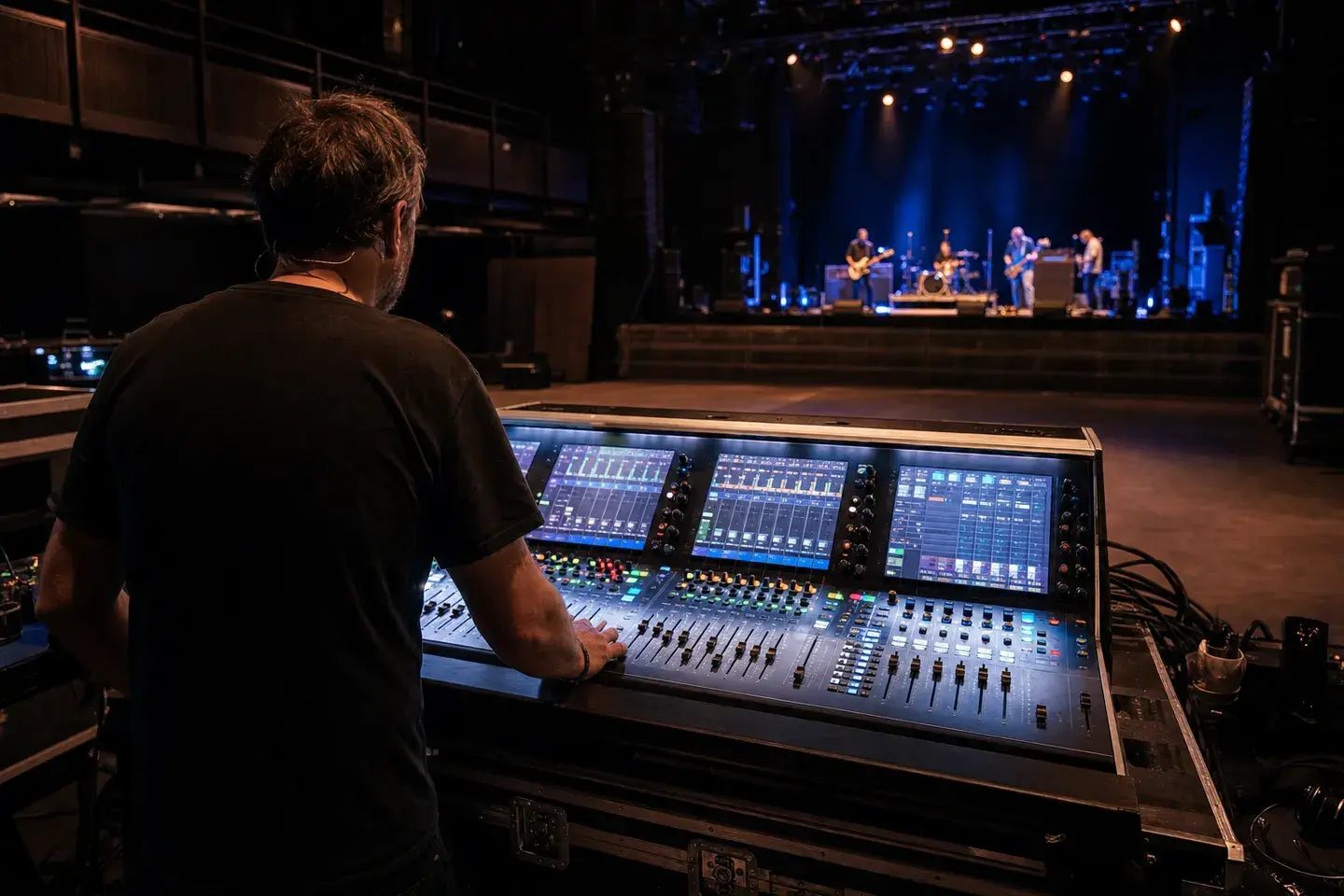
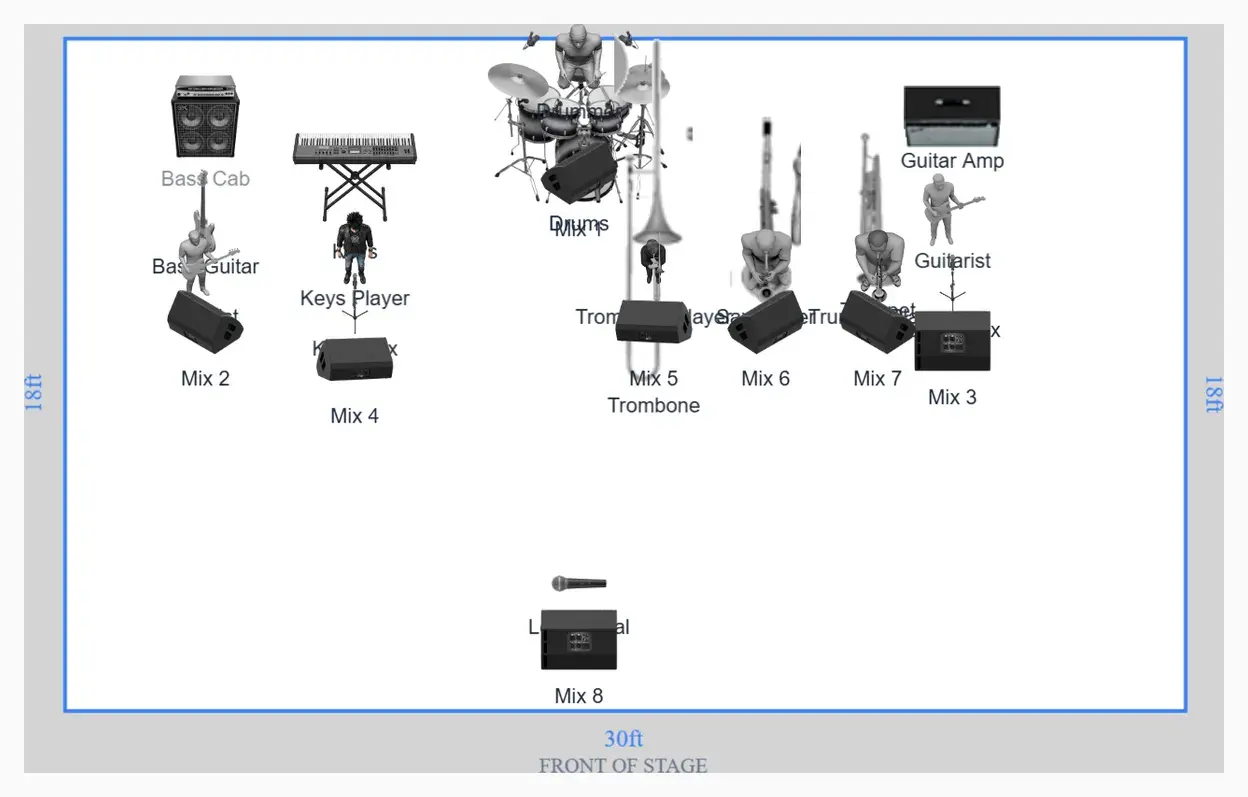
Generated output
.scn show file
A smart starting point, not a substitute for the engineer. The file gets routing and processing into useful territory; the room, PA, microphones, and performers still get the final say.
Build yours freeBuilt by Musicians & Live-Sound Engineers
One plan for the stage, the patch, and the mix
AI-Enhanced X32 Show Files
Create a loadable X32/M32 scene with FOH levels, monitor sends, EQ, gates, compression, DCAs, and genre-aware effects—not just a channel list.
Auto Input List
Drop a mic on stage and it shows up in your input list. Channel numbers, mic types, stands, phantom power. Done before the drummer finishes loading in.
Monitor Mixes
Build every wedge or IEM mix source-by-source. Those sends travel into the X32/M32 file, so monitors start closer before anyone shouts “more me.”
311 Equipment Icons
Drums, amps, DIs, wedges, subs, risers, piano, horns, worship: 23 categories of gear that sound engineers actually recognize.
Print-Ready PDF Export
Stage plot on page 1, input list on page 2. Add your band logo, accent color, and contact info. Hand it to the venue and look like a pro.
Shareable Links
Send your sound engineer a link. They see your full stage plot and input list. No login, no download, no "can you resend the PDF?"
Limited Time
Every Feature. Zero Cost.
For Now.
We're in early access and everything is unlocked. No limits, no watermarks, no “upgrade to export.” Build as many stage plots as you want.
Pricing is coming eventually. But right now? It's all yours.
Stage Plot Builder Comparison
We checked every stage plot app so you don't have to. Here's the honest breakdown.
| Feature | Stageplot Pro | Stage-Plan | Tecrider | Ridermaker | StageOn | StagePlot Guru |
|---|---|---|---|---|---|---|
| Price | Free* | Free/Paid | $4.99-$18.99 | EUR 19-29/yr | Free | Paid (iOS) |
| Platform | Web | Web | Web | Web | Web | iOS only |
| Equipment Icons | 311 | 200+ | 69-200+ | 300+ | 47 | Unknown |
| Auto Input List | ✓ | Paid | - | Paid | ✓ | ✓ |
| Monitor Mixes | ✓ | Paid | - | Paid | - | ✓ |
| PDF Export | ✓ | Paid | ✓ | ✓ | ✓ | ✓ |
| Shareable Links | ✓ | - | ✓ | - | - | - |
| Cloud Save | ✓ | Paid | ✓ | 1 free | 1 free | - |
| Custom Branding | ✓ | - | - | Paid | ✓ | - |
*Free during early access. Pricing TBD. Data based on publicly available information, February 2026.
See It in Action
Every screen designed for speed. No learning curve.
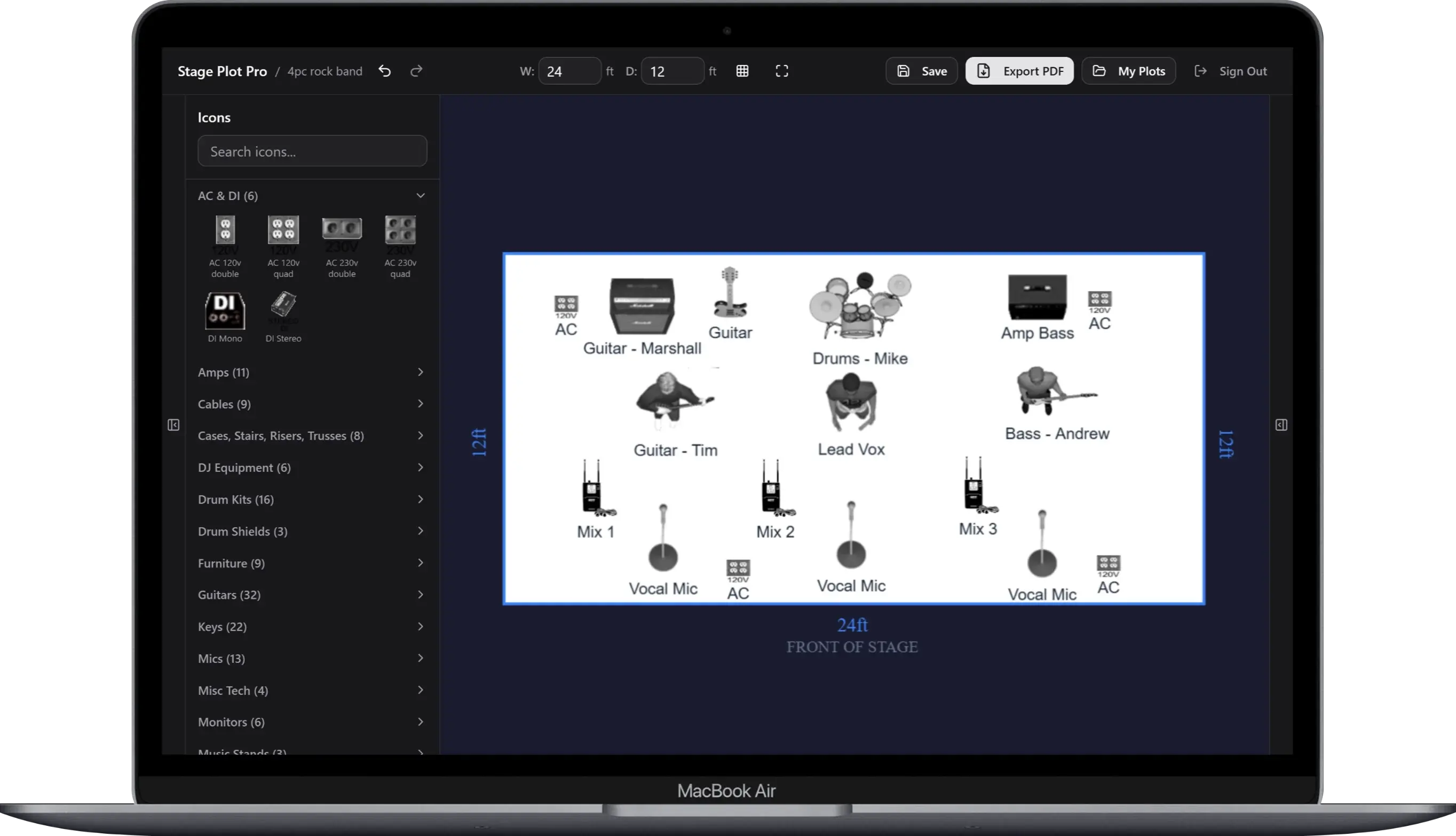
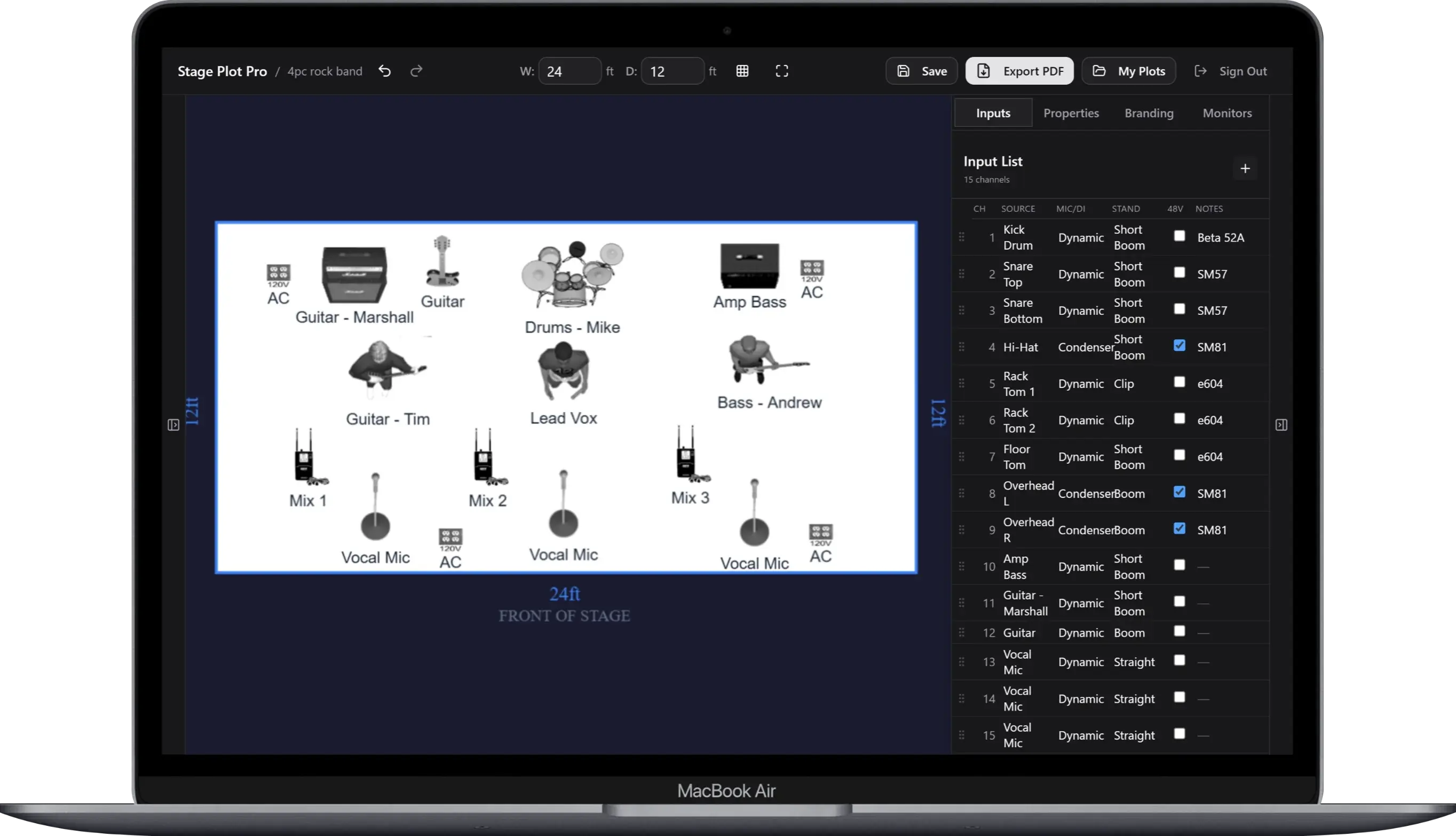
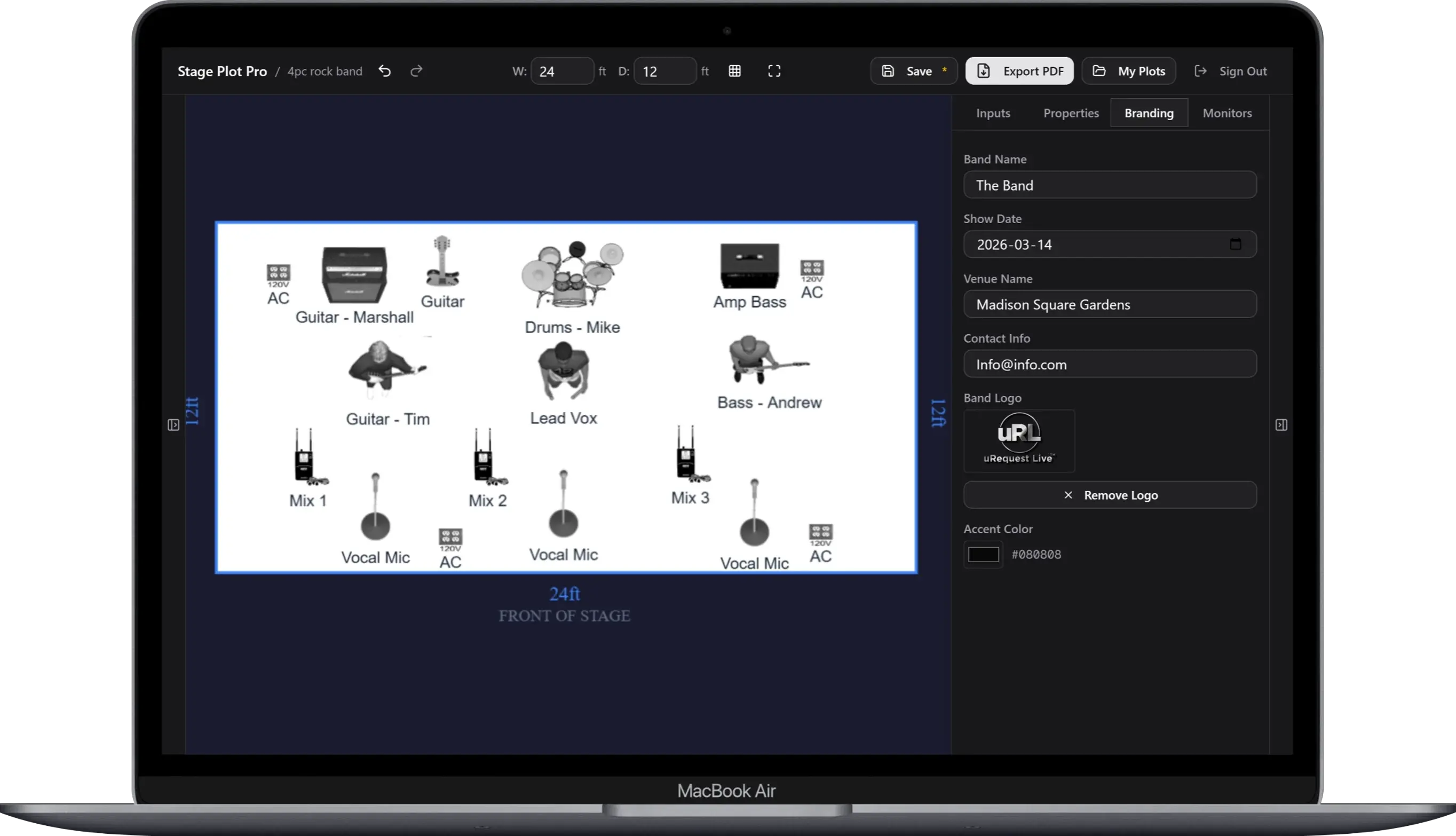
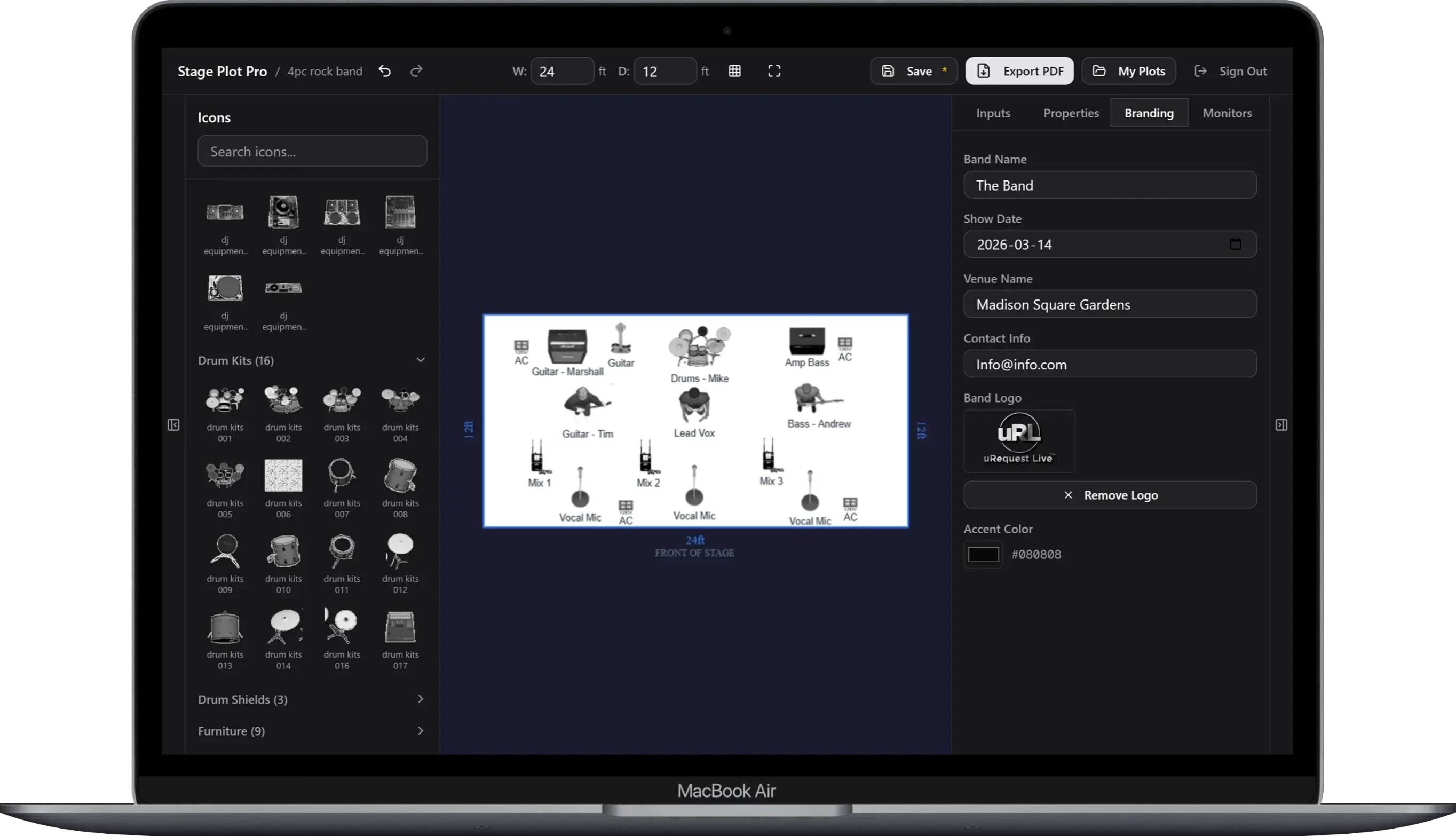
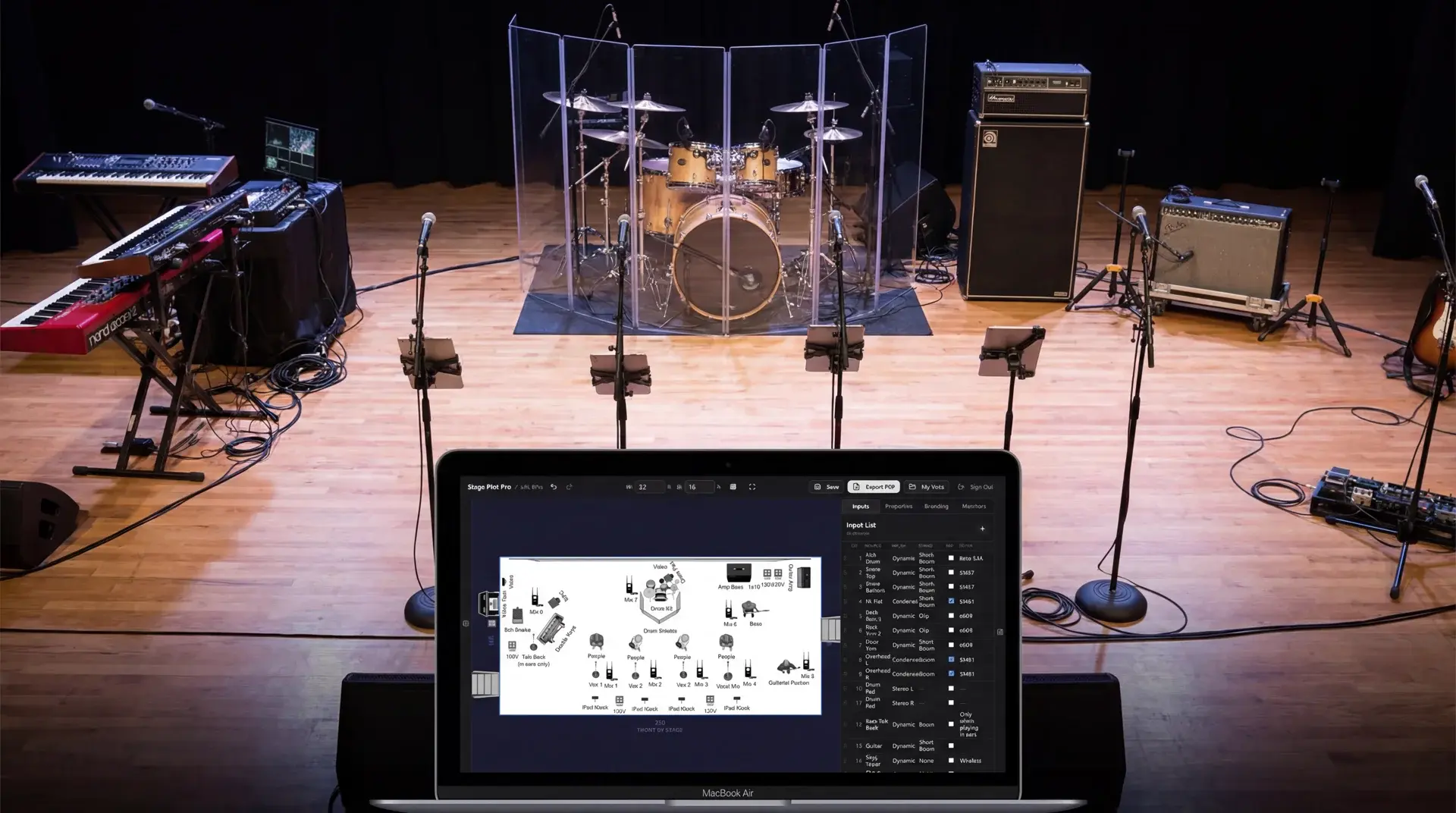
Stage Plot Editor
Drag-and-drop 311 icons to build your layout
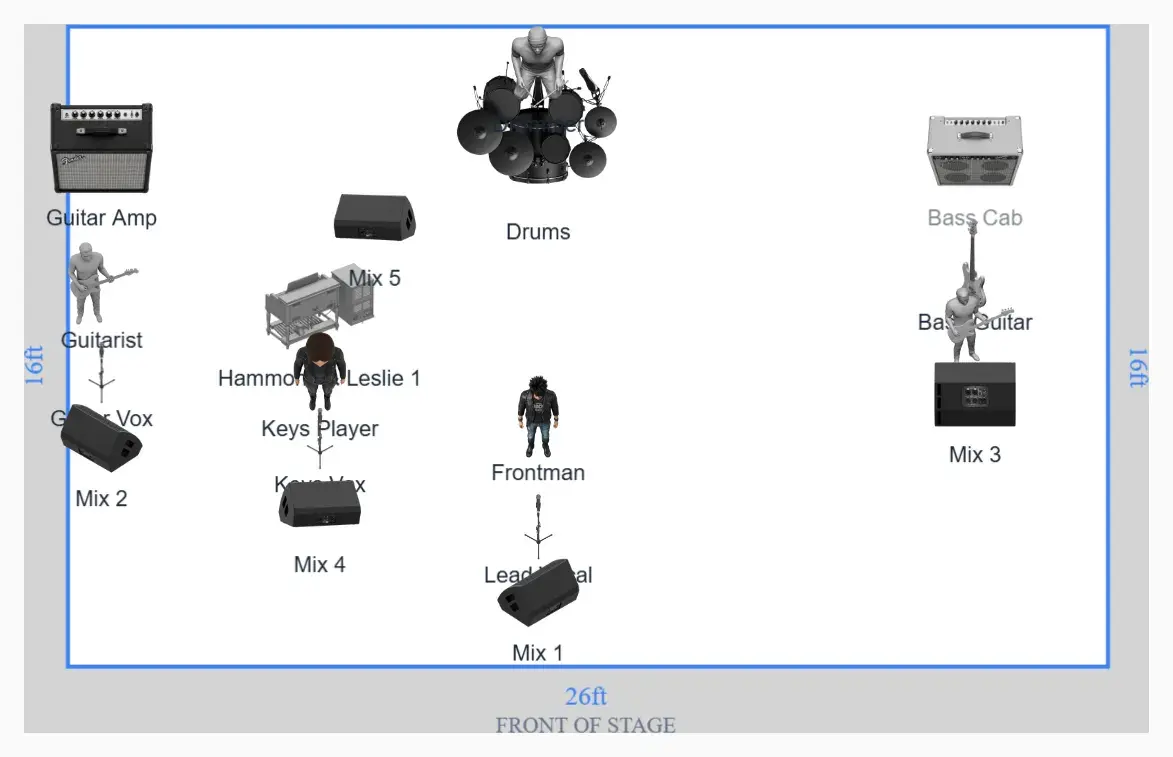
A stage plot built in Stageplot Pro
From Desktop to Browser
Stage Plot Software, Reborn for the Web
For years, making a proper stage plot meant desktop software: buy it, install it, and hope it survived the next OS upgrade. Those tools proved a stage plot doesn't have to be a napkin sketch or a Word doc.
Most of them are gone now. So we built what comes next: a modern, web-based stage plot builder with everything the desktop era had, plus auto-generated input lists, monitor mixes, shareable links, and no software to install.
Same mission. New generation. If you cut your teeth on desktop stage plot software, you'll feel right at home.
Frequently Asked Questions
Can Stageplot Pro use AI to build a console show file?+
Yes. For Behringer X32 and Midas M32 consoles, Stageplot Pro creates a loadable .scn show file from your input list, monitor mixes, and genre. It includes channel naming, FOH starting levels, monitor buses and sends, EQ, gates, compression, DCA assignments, plus reverb and delay sends. It is a professional starting point—not a replacement for tuning the mix to the room, PA, microphones, and performers. Yamaha CL/QL and Allen & Heath dLive/Avantis currently export channel CSVs rather than full show files.
What is a stage plot?+
A stage plot is a top-down diagram that shows where every musician, instrument, mic, DI, monitor, and piece of gear sits on stage. Sound engineers and venue crews use it to set up before you arrive. A solid stage plot includes equipment positions, an input list with channel assignments, monitor mixes, stage dimensions, and your contact info. It’s basically the difference between a smooth soundcheck and twenty minutes of "can you move that wedge?"
Why do bands need a stage plot?+
Because sound engineers aren’t mind readers. A stage plot makes load-in faster, soundcheck shorter, and your monitor mix actually usable. Without one, the house engineer has to guess your setup, and they’ve got three more bands after you. Festivals and larger venues typically require one in advance, and even small clubs will treat you better if you show up prepared.
What is the best stage plot software?+
Stageplot Pro is the most full-featured free stage plot builder available. It includes 311 equipment icons, auto-generated input lists, monitor mix specs, PDF export with custom branding, and shareable links, all in a web-based drag-and-drop editor. No download required. Other options include Stage-Plan, Tecrider, and StagePlot Guru, but most lock key features behind paywalls.
Is Stageplot Pro free?+
Yes: during early access, every feature is completely free with no limits. Unlimited plots, all 311 icons, PDF export, shareable links, cloud save, and custom branding. Pricing will be introduced in the future, but right now everything is unlocked.
What should a stage plot include?+
Every stage plot should include: a bird’s-eye view of the stage with musician positions and gear, mic and DI placements, monitor positions and what’s in each mix, an input/channel list for FOH, stage dimensions, and band contact info. Power requirements and special notes (like "guitarist needs 3 outlets stage left") are a nice bonus.
What is an input list?+
An input list (also called a channel list or patch list) tells the sound engineer which channel on the console connects to which source on stage. It includes channel number, source name, mic or DI type, stand type, phantom power needs, and notes. Stageplot Pro generates yours automatically as you place gear on the canvas.
How do I make a stage plot online?+
Open Stageplot Pro in your browser, no download needed. Set your stage dimensions, drag equipment icons from the palette onto the canvas, add labels, and your input list builds itself. Export a branded PDF or grab a shareable link. Most musicians finish their first stage plot in under 10 minutes.
Can I share my stage plot with my sound engineer?+
Yes. Stageplot Pro generates a unique shareable link for each saved plot. Send it to your sound engineer, venue, festival, or production company. They see your complete stage plot and input list without creating an account or installing anything. It’s the fastest way to get everyone on the same page before load-in.
What's the difference between a stage plot and a technical rider?+
A stage plot is the visual diagram of your stage setup. A technical rider is the full document: stage plot plus PA specs, lighting needs, power requirements, hospitality, and contractual terms. Stageplot Pro handles the stage plot and input list, which is the part your sound engineer actually needs to do their job.
Can I export my stage plot as a PDF?+
Absolutely. Stageplot Pro exports multi-page, print-ready PDFs. Page 1 is your stage plot diagram, page 2 is the complete input list. It includes your band name, venue, date, logo, and accent color. Print it, email it, or hand it to the house engineer at load-in.
Do I need to create an account to use the stage plot builder?+
Not to start building. The editor is free to try instantly, no account, no download. When you’re ready to save your plot, export a PDF, or share it, create a free account in seconds. That keeps your plots tied to you so you can come back and edit them before the next gig.
Does the stage plot builder work on mobile?+
Stageplot Pro is designed for desktop and laptop browsers. Drag-and-drop stage building, precise equipment placement, and multi-channel input lists need the screen real estate and pointer precision that a desktop provides. You can view and share your finished plots on any device, but for building and editing, grab your laptop. Your stage plot will thank you.
Walk in with the plot. Load the first mix.
Build once, then hand the venue a clean PDF and give the engineer a console-ready head start. The stage, patch, monitors, and mix finally come from the same plan.
Build Your Stage Plot + Mix FileBest on desktop or laptop. Drag-and-drop needs room to breathe.