Stageplot Pro Team /
Festival Changeovers Are Won Before Your Band Loads In
Fast festival changeovers depend on a realistic stage plot, confirmed shared backline, lean input choices, and a plan the crew can understand at a glance.
The changeover starts in the advance
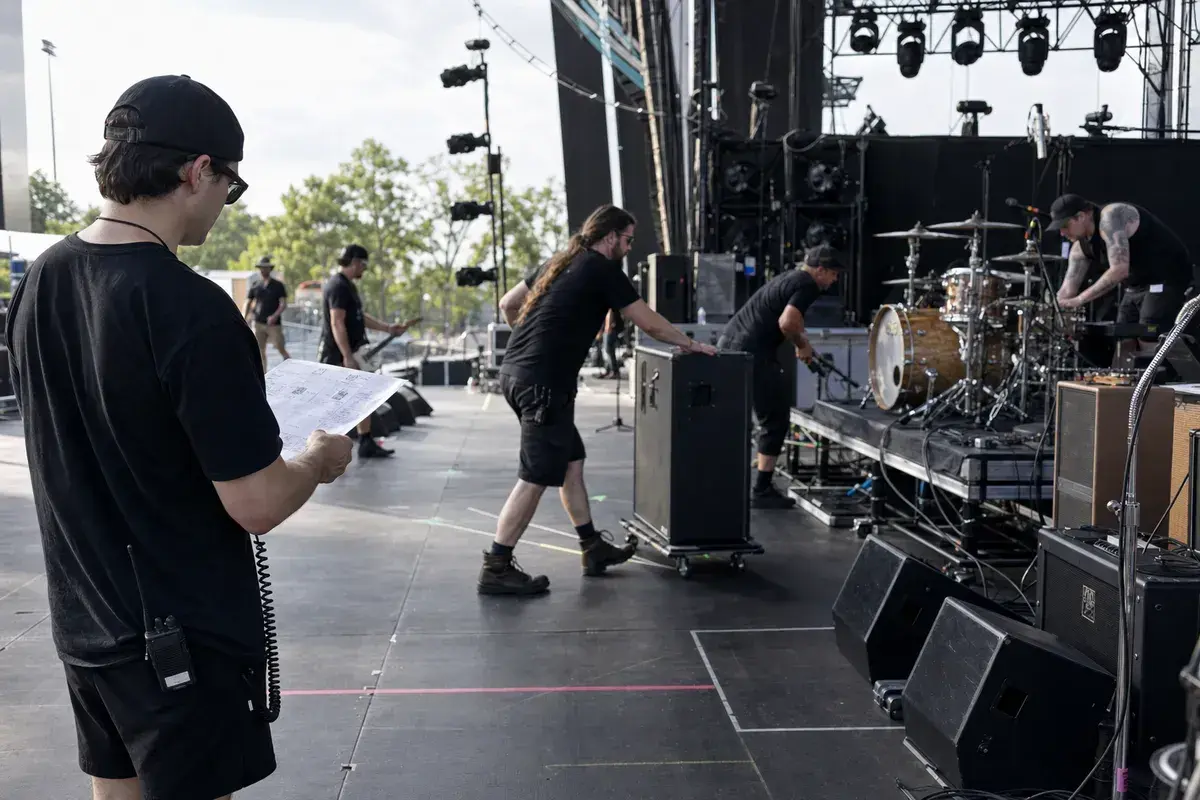
The worst time to discover that a band has a playback rack, needs six monitor mixes, or expected to use a different drum kit is during the previous act's final song. At a festival, the changeover is not a smaller version of a club load-in. It is a controlled handoff with a fixed clock and shared resources.
The bands that make those handoffs work are not necessarily the ones with the smallest rigs. They are the ones that have decided what remains, what rolls, what gets patched, and what can be simplified if the schedule is tight.
Make a festival version of the plot
Your normal club plot may be accurate and still be the wrong document for a festival. If the event supplies a house drum kit and bass rig, draw those in their actual positions and label them as house backline. Draw artist-provided pedalboards, keyboards, vocal stands, and playback stations separately. The stage manager should be able to see what stays when the previous act leaves.
That distinction also changes the input list. A house kit may use the festival's standard microphone package. Your playback or stereo keyboard rig may need the special attention. Put effort where the physical and electrical plan actually changes.
Reduce decisions at the edge of the stage
Fast changeovers are lost in tiny, unplanned decisions: where a DI pair goes, whether the bass amp needs a mic, whose monitor mix is shared, whether a click reaches the drummer, or which player is responsible for the cymbals and kick pedal. Decide those items before show day and put the answer in the advance.
This is not about demanding a rigid setup. It is about giving production a usable starting point. If the festival cannot support the full plan, you can agree on a fallback while there is still time to rehearse it.
A lean plot can still be complete
Complete does not mean crowded. For a 20-minute changeover, an eight-mic drum list and multiple extra cabinets may be unrealistic even if that is how the band plays a headline club date. A festival version can use house backline, fewer sources, a practical monitor compromise, and a separate note for non-negotiable playback or IEM requirements.
The right question is: what must be true for the set to work? Start there. Then use the festival stage plots guide and shared backline guide to turn that answer into an advance crew can act on.
Give production a short operational summary
One sentence can make the plot more useful: House kit and bass amp remain; band rolls on two pedalboards, keyboard rig, four vocal stands, and a compact playback rack. Add your confirmed changeover time and a day-of-show contact. The stage plot provides the map; this sentence provides the operating plan.
The best compromise is the one you rehearsed
If you may have to share a mix, use mono keys, or drop a secondary source, rehearse that version before the festival. A fallback that exists only in a rider is not a fallback. A band that knows its simplified patch can adapt quickly without asking the crew to solve its arrangement during a changeover.
Build the version production will actually patch
Duplicate your regular plot for the festival, label house and artist gear, remove assumptions that do not fit the schedule, and export the current package from the Stageplot Pro editor. A clear changeover plan makes the whole bill easier to run.
A real-world production scenario
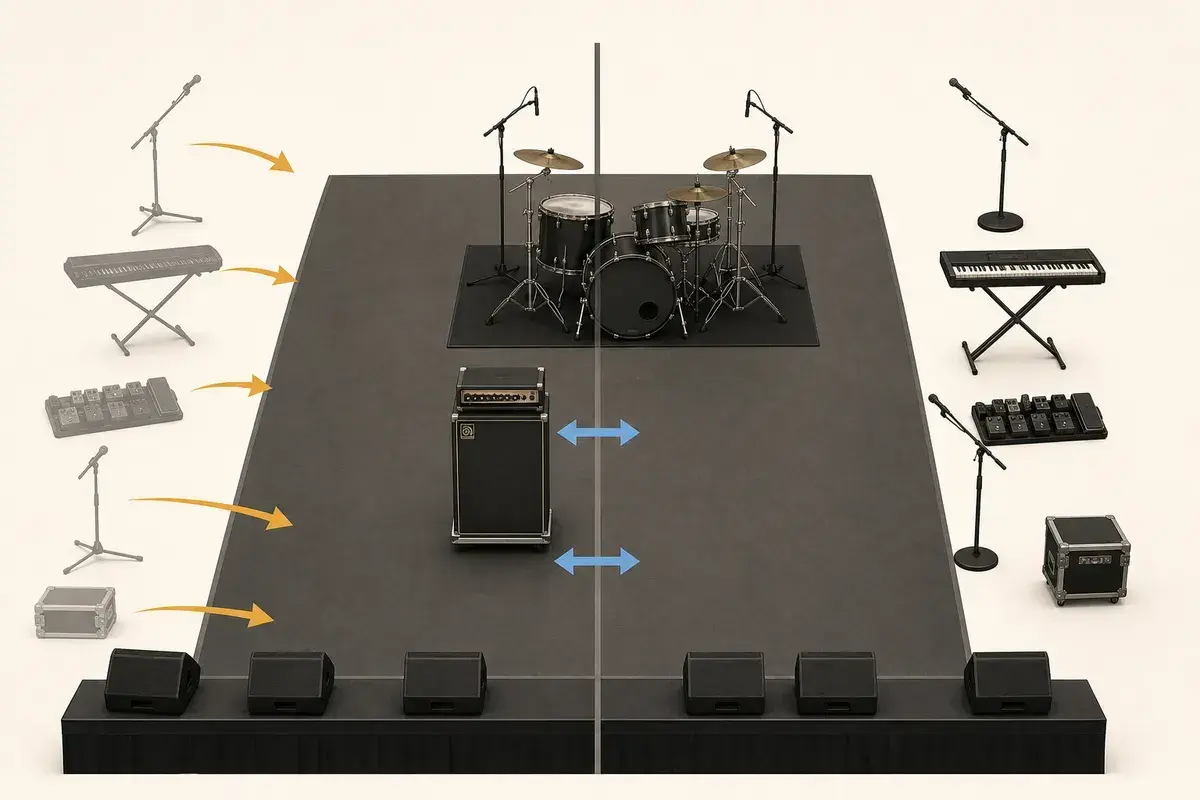
A successful changeover is designed as a sequence of moves. Shared items are already live, artist packages arrive in a known order, and each case or riser has a destination. The stage manager should not need to negotiate amplifier placement while the previous act is clearing. That conversation belongs in the advance, alongside the patch and monitor compromises.
A repeatable workflow
- Separate the diagram into house/shared gear, artist gear, and items removed between acts.
- Assign a landing zone and responsible person for each incoming package.
- Prewire looms and label both ends using the same source names as the input list.
- Agree on the first line-check sources and the person authorized to answer routing questions.
- Rehearse a reduced line check that proves every path without turning into a song-by-song soundcheck.
The order matters. It moves from known facts to local decisions and leaves the room-dependent work with the people who can hear and inspect the system. Skipping directly to preferences is how a polished document becomes difficult to execute.
Decisions to settle before the show
- Which drum components can remain shared?
- Can amplifier or keyboard changes happen offstage on rolling platforms?
- Which inputs can stay patched through the day?
- What is the agreed fallback if the advertised changeover time shrinks?
If an answer depends on the venue, write the question and the preferred solution instead of presenting an assumption as a requirement. That gives production something concrete to confirm and prevents avoidable surprises at load-in.
Make the handoff unambiguous
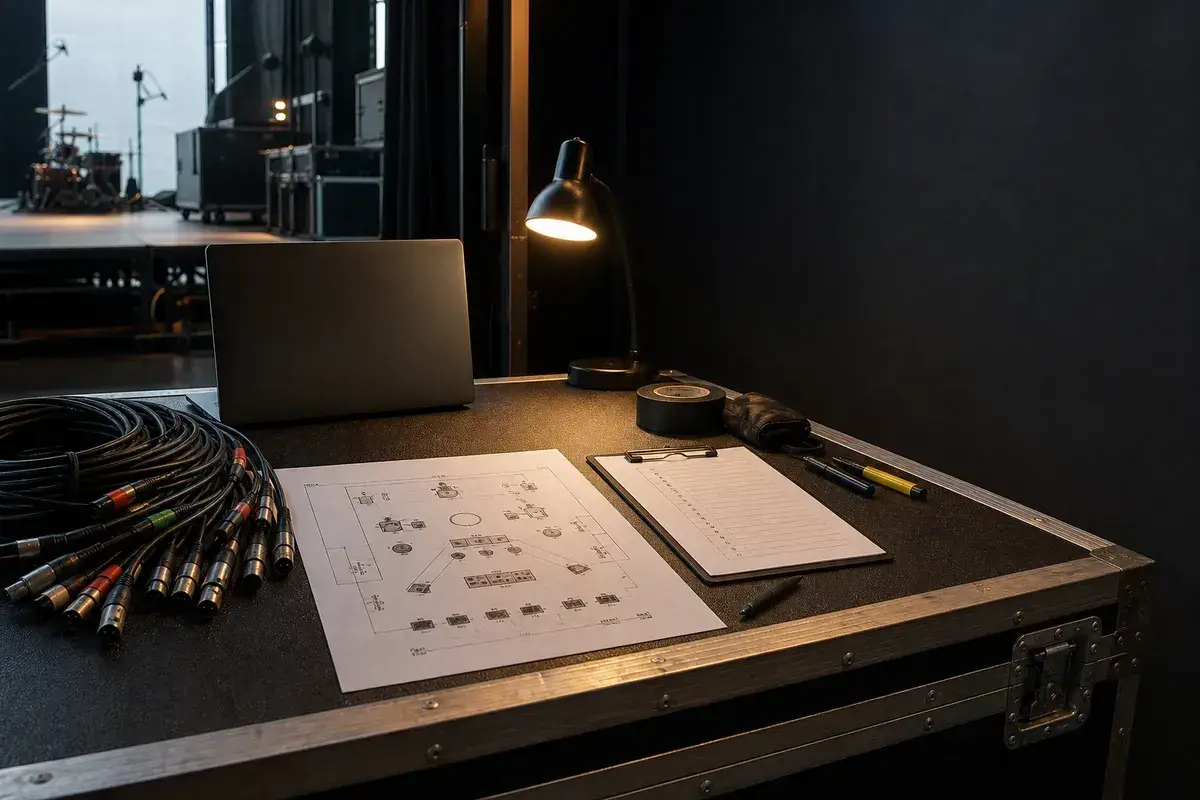
A useful festival note reads like an operations plan: “Shared shell pack and bass cabinet remain; artist rolls one guitar amp to stage right and one keyboard package to stage left; vocal mics and wedges are house; eight artist inputs land on the stage-right box.” That tells the crew what to stage before the band appears.
The final package should survive a quick read on a phone, a printed copy at the stage rack, and a conversation over intercom. Use current filenames, readable labels, and the same terminology everywhere. When the documents disagree, the crew has to stop and discover which version reflects the real show.
Prove the plan before load-in
Do a tabletop check with someone who did not build the document. Give them two minutes and ask them to explain the physical setup, count the required inputs and outputs, identify artist-supplied gear, and point to the first likely production question. Do not coach them through it. Every pause exposes a label, assumption, or missing relationship that will also slow a venue crew.
Then trace the workflow in signal-flow order. Start with the source, follow the connection to the stage input, confirm the console channel or destination, and finish at the required PA, monitor, recording, or show-control output. This catches a different class of mistake than proofreading. A document can be spelled perfectly while describing an impossible or incomplete route.
Control revisions like production equipment
Keep one master version, create deliberate venue-specific copies, and place the revision date where it remains visible after printing or separating pages. A descriptive filename with the band name, document type, and ISO date is easier to trust than a file called final-v2-new. When a last-minute change is unavoidable, state exactly what changed in the email instead of forcing production to compare two PDFs.
After the show, update the master only when the change will travel. A one-night local substitution belongs in the venue notes; a new keyboard, vocalist, playback output, or monitor system belongs in the master. That discipline keeps useful local compromises from quietly becoming false requirements on every future date.
Final preflight checklist
- Confirm the lineup, stage orientation, source count, monitor count, and ownership of all artist-supplied equipment.
- Compare the plot, input list, and rider for the same names and revision date.
- Identify substitutions and fallbacks before they become time-critical.
- Open every exported file once and check that text, images, and page breaks remain readable.
- Send one technical contact who can answer production questions promptly.