Stage Plot Pro Team /
Why Everything Is Completely Free During Early Access
Every feature is unlocked right now: no watermark, no plot limit, no paywall. Here is what free means today and what the planned paid plan looks like later.
What free actually means right now
We are in early access, and that is not a watered down trial. The full
editor is open, all 297 equipment icons are available, and there is no
watermark on your exported PDFs. There is no cap on how many stage plots
you can save, and shareable links work exactly the same as they will once
a paid plan exists. If you build a plot today, it stays yours. Nothing
about the early access period puts your saved work at risk or behind a
future paywall.
Why we are doing it this way
We would rather have real bands stress test the editor on real gigs, catch
the input list edge cases, and tell us what is missing, than launch behind
a paywall and find out later that the core workflow does not hold up under
actual load-in pressure. Early access is us trading revenue now for a
product that actually works the way gigging musicians need it to, before
we ask anyone to pay for it.
What is planned for later
We do have a paid plan planned. It is not live yet and we are not promising
a launch date, but the shape of it is public on our pricing
page: a Pro plan at $9 a month, or $69 a year if billed
annually, which works out to roughly $5.75 a month. Pro is built around the
features that matter most once you are running the tool across multiple
bands or gigs regularly: unlimited saved stage plots, X32 scene export,
custom equipment icons, watermark-free PDF export, and custom PDF branding.
A Free tier will continue to exist alongside it, with the full drag and
drop editor, all 297 icons, and auto-generated input lists and monitor
mixes. At launch, Free is planned to include a modest saved plot limit and
a watermark on exported PDFs, but neither of those limits exist today.
Anything you save during early access is not retroactively locked or
deleted when that day comes.
Nothing to sign up for beyond an account
There is no trial clock running and no credit card required to use any
part of the editor today. Open the Stage Plot Pro editor,
build a plot for your band, and export it. If you want a fast starting
point instead of a blank canvas, our templates library has
lineups from a solo acoustic guitarist
to a full worship band,
all free to use during early access the same as everything else.
Tell us what you actually need
The best thing you can do during this phase is use the tool for a real
gig and tell us what got in your way. Early access exists so the paid plan
we eventually ship is built around what working bands actually need, not
what we guessed they might want from a feature list.
Where to start
If you have not built a plot yet, our why your band needs a stage
plot post covers the actual
problem this tool solves before you even get to pricing. And if you are
curious where Stage Plot Pro came from in the first place, the Stage Plot
Pro story has the background on why we
built a free web version of a tool bands used to rely on. Either way, the
cost of trying it today is nothing.
A real-world production scenario
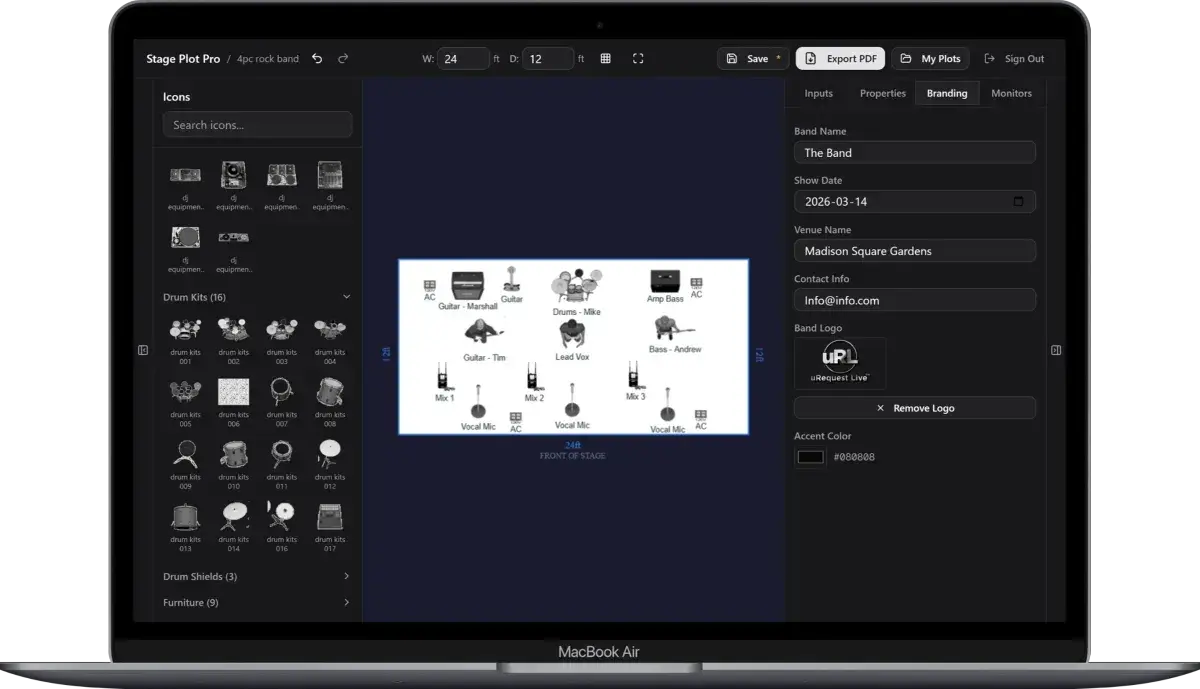
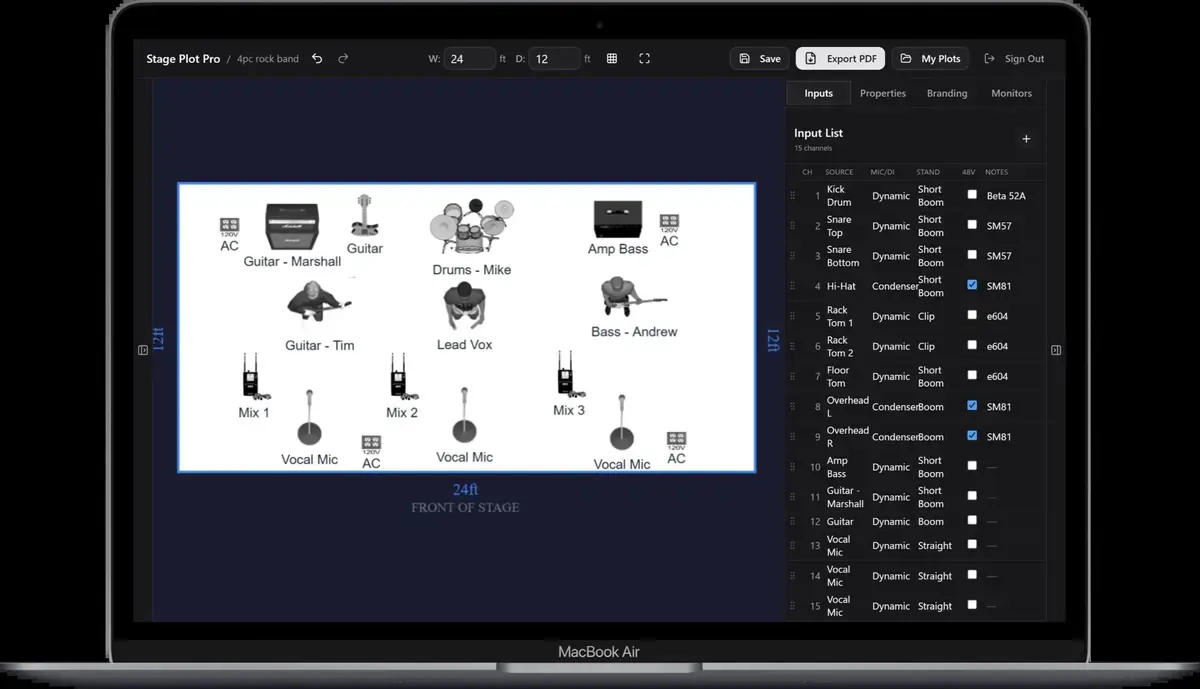
Early access is most useful when people can test a complete workflow rather than a decorative demo. For Stageplot Pro, that means building a real plot, checking the generated inputs, documenting monitor mixes, exporting the result, and learning where the editor still creates friction. “Free” should remove the purchasing decision during that learning period; it should not make users guess whether their exported production document will carry a watermark or disappear later.
A repeatable workflow
- Start with a real upcoming show instead of a fictional test so the feedback reflects production pressure.
- Build the plot and input list together, then note every place where the app guessed differently from the band.
- Test a second venue or lineup revision to expose version-control and reuse problems.
- Open the exported PDF on a phone and a normal office printer, the two places production documents often fail.
- Send specific feedback with the affected step, expected behavior, and whether the issue blocks a show or merely slows it down.
The order matters. It moves from known facts to local decisions and leaves the room-dependent work with the people who can hear and inspect the system. Skipping directly to preferences is how a polished document becomes difficult to execute.
Decisions to settle before the show
- Which capabilities are stable enough for a live advance?
- What data should remain editable when pricing changes later?
- Which features save time for occasional bands versus production professionals?
- What export or collaboration limits would feel fair without breaking existing work?
If an answer depends on the venue, write the question and the preferred solution instead of presenting an assumption as a requirement. That gives production something concrete to confirm and prevents avoidable surprises at load-in.
Make the handoff unambiguous
The practical value of early access is the evidence it creates. A useful report says, “Our six-piece band needs two stereo keyboards and four monitor mixes; the plot exported correctly, but the input naming took three manual passes.” That is more actionable than a broad request for “more features,” and it helps future plans reflect the jobs users are actually trying to finish.
The final package should survive a quick read on a phone, a printed copy at the stage rack, and a conversation over intercom. Use current filenames, readable labels, and the same terminology everywhere. When the documents disagree, the crew has to stop and discover which version reflects the real show.
Prove the plan before load-in
Do a tabletop check with someone who did not build the document. Give them two minutes and ask them to explain the physical setup, count the required inputs and outputs, identify artist-supplied gear, and point to the first likely production question. Do not coach them through it. Every pause exposes a label, assumption, or missing relationship that will also slow a venue crew.
Then trace the workflow in signal-flow order. Start with the source, follow the connection to the stage input, confirm the console channel or destination, and finish at the required PA, monitor, recording, or show-control output. This catches a different class of mistake than proofreading. A document can be spelled perfectly while describing an impossible or incomplete route.
Control revisions like production equipment
Keep one master version, create deliberate venue-specific copies, and place the revision date where it remains visible after printing or separating pages. A descriptive filename with the band name, document type, and ISO date is easier to trust than a file called final-v2-new. When a last-minute change is unavoidable, state exactly what changed in the email instead of forcing production to compare two PDFs.
After the show, update the master only when the change will travel. A one-night local substitution belongs in the venue notes; a new keyboard, vocalist, playback output, or monitor system belongs in the master. That discipline keeps useful local compromises from quietly becoming false requirements on every future date.
Final preflight checklist
- Confirm the lineup, stage orientation, source count, monitor count, and ownership of all artist-supplied equipment.
- Compare the plot, input list, and rider for the same names and revision date.
- Identify substitutions and fallbacks before they become time-critical.
- Open every exported file once and check that text, images, and page breaks remain readable.
- Send one technical contact who can answer production questions promptly.