Stageplot Pro /
A Stage Plot That Works for Any Volunteer Worship Team
Build a church worship team stage plot that survives weekly volunteer rotation, a fixed backline, and a tech booth run without a dedicated FOH engineer.
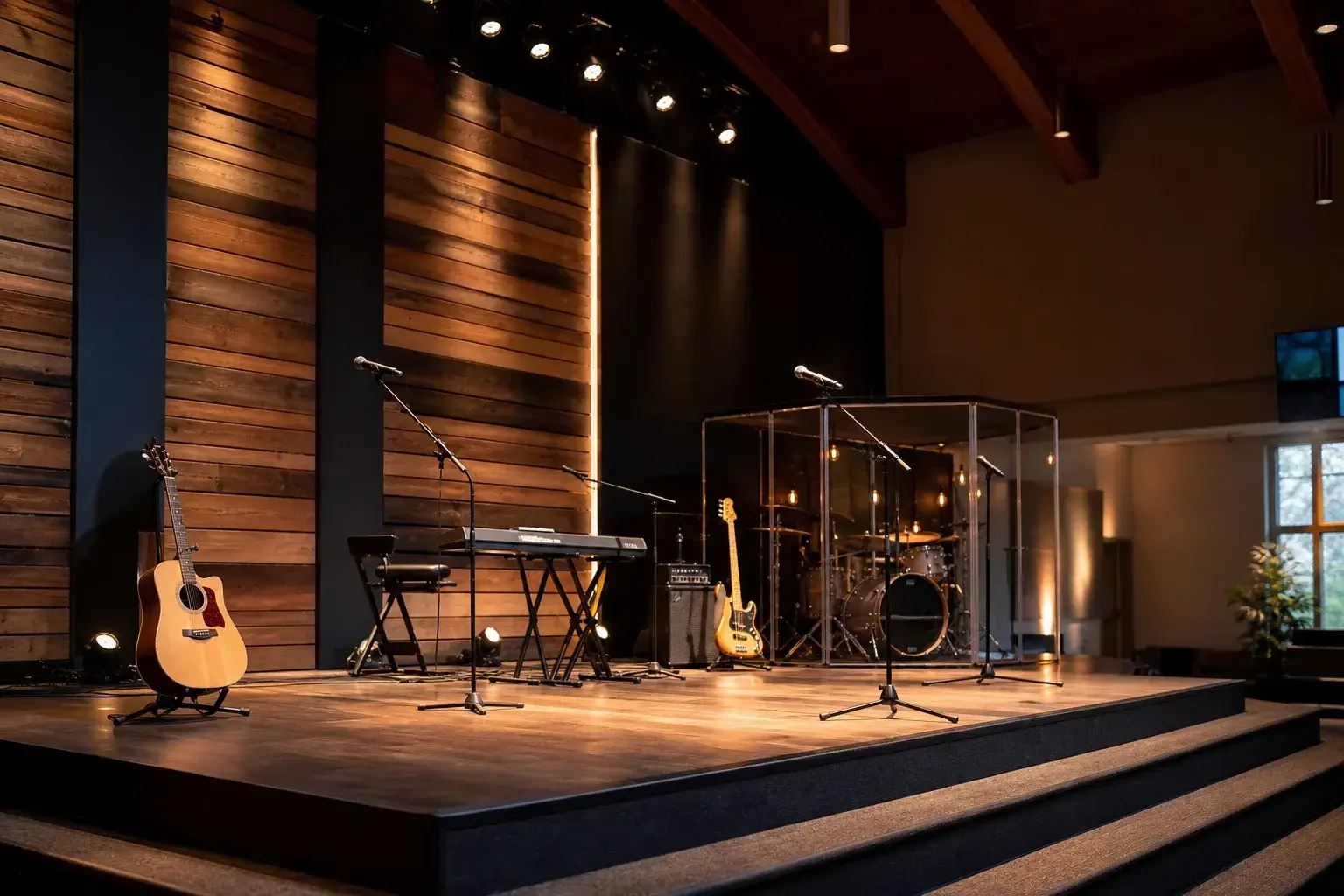
Why does a rotating team need a different kind of stage plot?
Because the people change every week but the room, the console, and the backline mostly do not. A worship team stage plot has to document a role, not a person, so the acoustic guitarist filling in this Sunday can walk into the same spot the regular player used last week without a single question asked at the door.
Most bands build a plot around a fixed lineup and update it when a member leaves. A church rotates volunteers by design: a worship leader who plays two Sundays a month, a rhythm section drawn from a pool of six or seven players, a vocal team that shifts based on who signed up. If your plot names "Dave" and "Dave" is out sick, the diagram is suddenly useless to the substitute standing where Dave normally stands. Build the plot around the chair, the mic, and the channel, and it keeps working no matter who sits down.
What changes about the drawing when the backline stays put?
It shifts from showing what a band carries in to showing what already lives on your stage. Draw the drum shield, the keyboard rig, the DI drawer, and the console patch exactly where they sit every week, because a fixed backline is a floor plan first and a gear list second.
A touring four piece needs a plot that says "here is what we bring." Your team needs one that says "here is what is already here, and here is where you plug in." Mark the spike tape positions for the drum riser, the keyboard stand, and every vocal mic stand directly on the diagram so a volunteer setting up early on a Sunday morning can match tape on the floor to icons on the page instead of guessing at spacing. If your platform uses an electronic kit or a drum shield with a small acoustic kit inside it, note the shield boundary itself, since sightlines and monitor bleed both depend on where that wall of plexiglass actually sits relative to the vocal mics.
Our step by step guide to building a stage plot walks through the mechanics of placing performers and backline correctly if your team is starting from a blank canvas rather than adapting an old file.
How should positions be labeled so a substitute can read them fast?
Label every input by role, never by name, so the sheet stays accurate no matter who is scheduled that week. "Acoustic Guitar 1," "Worship Leader Vocal," and "Keys Left/Right" tell a substitute exactly where to plug in without anyone needing to explain who usually plays that chair.
A short, consistent label set also speeds up the volunteer running sound, who is frequently the same person cueing lyric slides and watching the livestream feed at the same time. That person does not have time to remember that channel fourteen is "whoever is playing bass this month." Keep the naming pattern identical week over week:
- Worship Leader Vocal
- Acoustic Guitar 1 DI
- Acoustic Guitar 2 DI
- Electric Guitar (amp mic or modeler line out)
- Bass DI
- Keys L
- Keys R
- Drum overhead L/R, kick in, snare top
- Background Vocal 1 through 3
- Playback / Click
When a position is filled by an unusual instrument for a special service, such as a cajon replacing the full kit or a violin joining for a string arrangement, add that single line to the input list rather than renaming an existing channel to fit it. A relabeled channel from three months ago is exactly the kind of stale detail that causes a mispatch during a live line check.
What belongs on the input list for a worship set?
Cover every vocal position, every DI for acoustic and electric-acoustic instruments, the drum mic or shield configuration, and the playback or click feed, because those four categories account for nearly every channel a modern worship set actually uses.
Most teams run somewhere between twelve and twenty inputs: two to four vocal mics, two acoustic DIs, a bass DI, stereo keys, a handful of drum channels whether that is a full mic package or a single shield-mounted overhead pair, and a stereo playback return for backing tracks or a click. If your team runs tracks through Ableton or a dedicated playback rig, list that return explicitly, including whether the click and cues ride on a separate output from the audible track stems, since that routing detail is invisible on the diagram itself but essential to the input list underneath it.
For a smaller ensemble, such as an early service or an overflow room running an acoustic-only set, our acoustic quartet stage plot template is a realistic starting point: two acoustic guitars, a cajon or light percussion, and a lead vocal, which mirrors what a lot of stripped-down worship sets actually look like once the full band steps back.
How do you cover monitor mixes without a dedicated engineer running them live?
Document a personal mixer or IEM channel number for every position on the plot itself, so each volunteer already knows their mix assignment before the first song starts instead of asking for adjustments mid-set.
Many churches run a personal monitor system such as an Aviom or a Behringer P16 alongside the main console, giving each musician their own mix from a small control box at their position. Put the mixer channel number directly on the stage plot next to that performer's icon. A guitarist walking in cold can find box four, dial their own balance, and never once need to flag down the volunteer at the booth. For teams still on wedges rather than in-ears, note the wedge zone and which console aux feeds it, since a substitute vocalist standing in an unfamiliar spot has no way of knowing that the monitor six feet to their left is actually fed from a different mix than the one in front of them.
Label the channel by role, not by name, and the plot will still be accurate long after every volunteer currently on your team has moved on.
How do you get a new volunteer up to speed using the plot?
Pair the diagram with a short walkthrough at rehearsal and keep both the plot and the input list somewhere the week's volunteer can find before doors open, not after the first song has already started.
A stage plot only helps if someone actually looks at it before they need it. Print a laminated copy and keep it at the console, or export a PDF and drop the link in whatever tool your team already uses to schedule volunteers, whether that is a shared folder or a service-planning app. When a new sound volunteer joins the rotation, walk them through the plot once at a slower rehearsal: point out which channel feeds which monitor mix, where the click lives in the routing, and which inputs tend to need the most attention during line check. That fifteen minute walkthrough saves far more time than it costs the first time that volunteer runs a live service alone.
How often should the plot actually be updated?
Update it whenever the instrumentation changes in a way that outlives a single Sunday, such as adding a second acoustic guitar to the regular rotation, moving to a full acoustic kit for a holiday service, or bringing in strings or horns for a special arrangement.
Treat a guest musician for one week as a note in that week's planning, not a reason to redraw the file. But a change that repeats, like a new keys player who always uses a different stereo rig than the last one, belongs in the plot itself so it stops being an exception everyone has to remember. Review the plot at the start of each season or whenever your team's regular instrumentation shifts, and confirm the input list still matches what is actually plugged in before assuming it does.
A worship team stage plot earns its keep the same way a good sound check routine does: quietly, by preventing the ten small confusions that would otherwise eat into the twenty minutes you have before a service starts. Build it once around roles instead of people, keep the labels consistent, and it will keep paying off long after this month's rotation has moved on to the next one.
Frequently asked questions
- Do we still need a stage plot if our lineup barely changes from week to week?
- Yes, because even a stable core team eventually loses a member for a Sunday, and the plot is what lets a substitute step into that spot without holding up line check. A plot built around roles rather than specific people also makes onboarding a brand new volunteer far faster, since they are reading the same document your regular players already rely on.
- How do we run sound well when the volunteer at the booth has no formal audio training?
- Give that volunteer a plot and input list detailed enough that most decisions are already made before the service starts: channel labels, monitor mix numbers, and a known signal path for playback and click. A well documented plot turns a nervous first-time volunteer into someone confirming a plan instead of inventing one live, which is a much easier job under pressure.
- Should the stage plot show our click track and playback rig?
- Yes, list the playback return and click feed as their own line on the input list even though they are not a physical instrument on stage. Most worship teams route backing tracks and a click through the same playback rig, and if that routing is not documented, a volunteer troubleshooting silence in someone's in-ears has no starting point.
- What if our drummer uses an electronic kit instead of an acoustic one?
- Draw the module and its output the same way you would draw a mic package: as a defined set of channels, usually a stereo pair or a handful of individually assigned drum voices, coming from one DI or line output rather than a stage full of microphones. Note the module's output format on the input list so a substitute drummer with their own module knows what connection to expect.