Stageplot Pro Team /
The Better Monitor Request Is Not the Longer One
A useful monitor request names mix counts, positions, priorities, and click routing. Learn why concise requests get bands to a workable soundcheck faster.
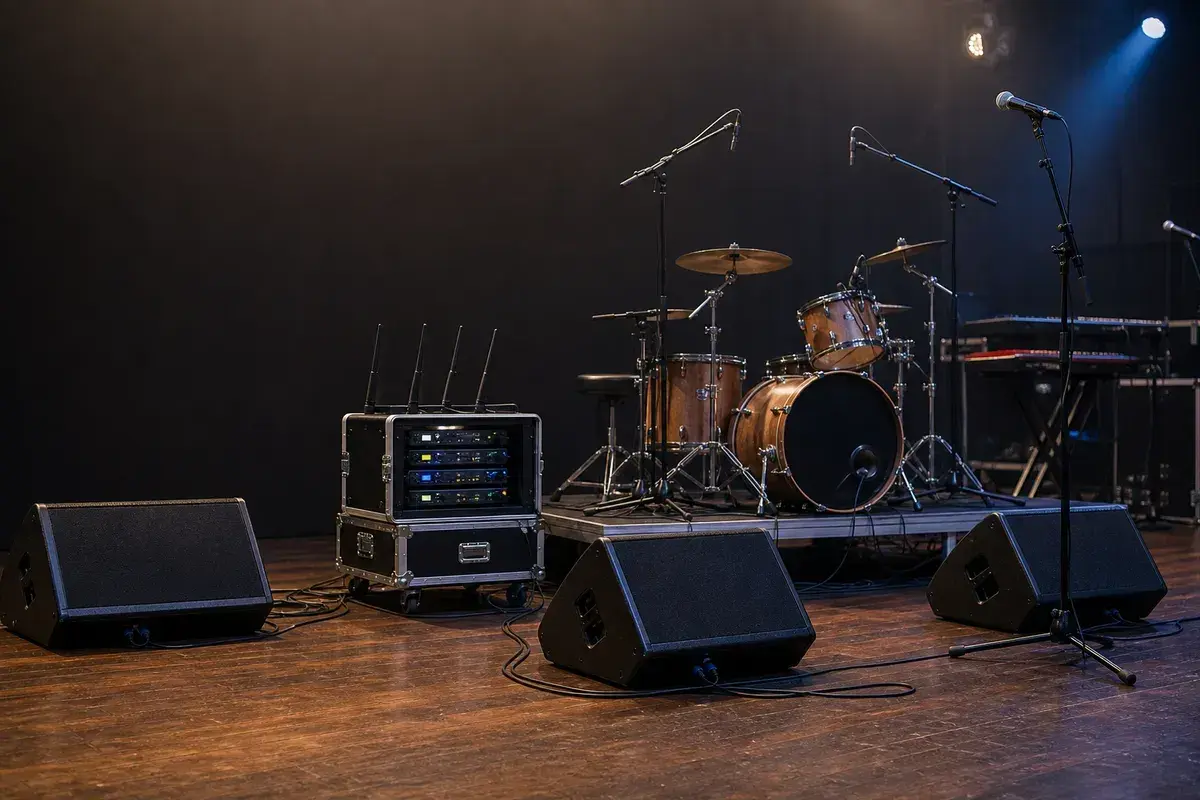
“More of everything” is not a monitor plan
Every performer wants to hear the band. The monitor engineer's job is to turn that broad wish into stable, usable mixes within the available console outputs, wedges, IEM packs, stage volume, and soundcheck time.
The fastest way to help is not to send a longer list of desired sources. It is to state each performer's priorities and the physical monitor format before you arrive.
Start with mix count and position
The first line of a useful request says what production must provide: Three wedge mixes and one wired drum IEM feed. Then label each mix by position. The stage plot should show where that hardware sits; the rider or monitor request should state the musical priorities.
For example, a lead singer might need lead vocal, acoustic guitar, and a little kick. A drummer using click needs click, bass, lead vocal, and tracks. Those are different problems, so they should not be hidden behind a generic note that says full band in all wedges.
Priorities are better than a shopping list
An engineer will shape the final mix for the room. They need to know what allows each performer to stay in time, hear cues, and sing in tune. Two to four priorities per mix are usually enough to build a useful starting point. Soundcheck then becomes a quick conversation: more lead vocal here, less guitar there.
This approach also reveals conflicts early. If five people need fully independent mixes but the room has three usable sends, the band can choose who shares a mix before the stage is crowded. The monitor mix request template makes that decision easy to document.
Click is a routing instruction
Click, guide, and timecode deserve their own clear notes. Click must not reach front of house. Guide cues may belong only in selected IEM packs. Write the destination, not just the source name. A channel labelled tracks cannot tell an engineer whether it is stereo program, mono program plus click, or a multi-output playback rig.
If your act uses playback, list every physical output and its destination. The playback rig input-list guide shows a practical format.
Wedges and IEMs can coexist
Many working bands use a hybrid setup: IEMs for the drummer or players who need click, wedges for front-line performers. That can be a practical system, but it still needs output planning. A stereo IEM mix consumes two outputs; a shared wedge mix is one output even when two performers hear it. Count first, then request what the room can realistically support.
The wedges versus IEMs guide covers the system choice. This post is about the communication that makes either system usable.
Good requests make soundcheck shorter
A concise, accurate request lets the monitor engineer start closer to the answer. It also gives the band a common language to use during soundcheck. Instead of five people asking for “more me,” each performer can state the change that matters: more own vocal, less guitar, click only in Mix 4.
That is how a monitor request earns its place in the advance. It is not a demand for a perfect mix before anyone has played a note. It is a clear starting point that lets the whole stage get to work faster.
Document the monitor plan with the plot
Place wedge, IEM, and personal-monitor positions in the Stageplot Pro editor, then use the same mix labels in your rider and input list. When all three documents agree, the monitor plan is much easier to patch, test, and adjust.
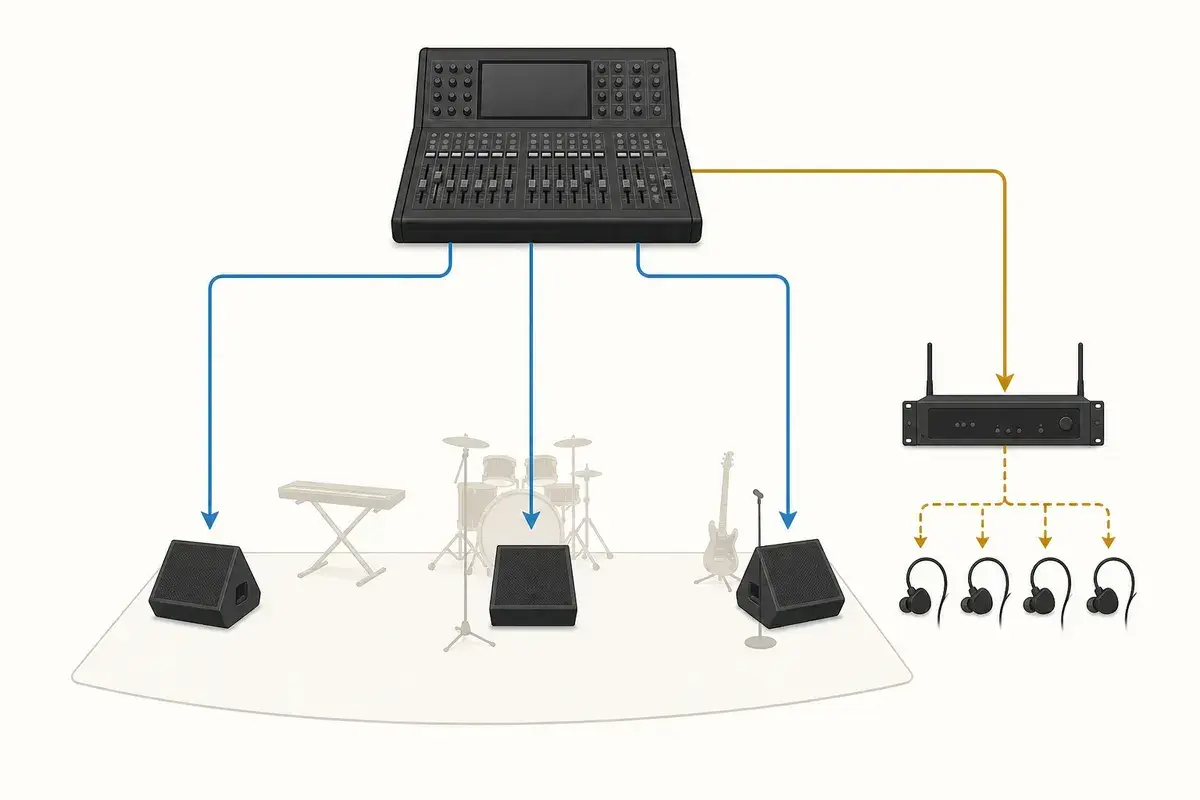
A real-world production scenario
The monitor engineer needs constraints and priorities, not an imaginary finished mix. Mix count, physical format, performer position, and the sources that keep each person in time are the useful facts. Long source-by-source wish lists often hide those facts and become obsolete as soon as stage volume and room acoustics change.
A repeatable workflow
- Count available outputs and translate stereo IEM requests into two outputs each.
- Label every mix by number and performer position on the stage plot.
- Ask each performer for the three sources they would miss first, then add secondary preferences.
- Document click, guide, cues, talkback, and ambience as destination-specific sources.
- At soundcheck, make one change request at a time and identify the affected mix before naming the source.
The order matters. It moves from known facts to local decisions and leaves the room-dependent work with the people who can hear and inspect the system. Skipping directly to preferences is how a polished document becomes difficult to execute.
Decisions to settle before the show
- Which performers can share a wedge mix?
- Who truly needs stereo IEM rather than mono?
- Does the artist provide transmitters, packs, earbuds, combiners, and antennas?
- What stage-volume changes would reduce the monitor demand?
If an answer depends on the venue, write the question and the preferred solution instead of presenting an assumption as a requirement. That gives production something concrete to confirm and prevents avoidable surprises at load-in.
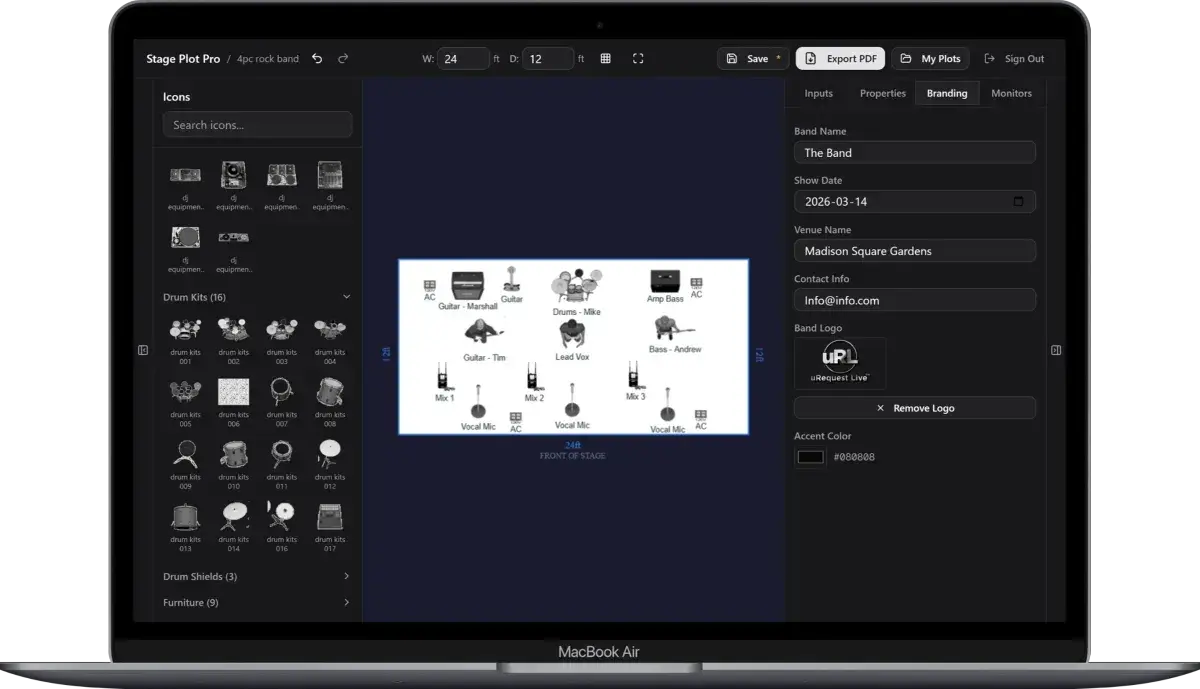
Make the handoff unambiguous
A compact request can still be precise: “Mix 1 lead vocal wedge: own vocal first, acoustic guitar second, then keys and kick. Mix 4 wired drum IEM: click, tracks, bass, lead vocal, and kick; click must not feed any other output.” The engineer can build from that immediately and adjust it with the performers in the room.
The final package should survive a quick read on a phone, a printed copy at the stage rack, and a conversation over intercom. Use current filenames, readable labels, and the same terminology everywhere. When the documents disagree, the crew has to stop and discover which version reflects the real show.
Prove the plan before load-in
Do a tabletop check with someone who did not build the document. Give them two minutes and ask them to explain the physical setup, count the required inputs and outputs, identify artist-supplied gear, and point to the first likely production question. Do not coach them through it. Every pause exposes a label, assumption, or missing relationship that will also slow a venue crew.
Then trace the workflow in signal-flow order. Start with the source, follow the connection to the stage input, confirm the console channel or destination, and finish at the required PA, monitor, recording, or show-control output. This catches a different class of mistake than proofreading. A document can be spelled perfectly while describing an impossible or incomplete route.
Control revisions like production equipment
Keep one master version, create deliberate venue-specific copies, and place the revision date where it remains visible after printing or separating pages. A descriptive filename with the band name, document type, and ISO date is easier to trust than a file called final-v2-new. When a last-minute change is unavoidable, state exactly what changed in the email instead of forcing production to compare two PDFs.
After the show, update the master only when the change will travel. A one-night local substitution belongs in the venue notes; a new keyboard, vocalist, playback output, or monitor system belongs in the master. That discipline keeps useful local compromises from quietly becoming false requirements on every future date.
Final preflight checklist
- Confirm the lineup, stage orientation, source count, monitor count, and ownership of all artist-supplied equipment.
- Compare the plot, input list, and rider for the same names and revision date.
- Identify substitutions and fallbacks before they become time-critical.
- Open every exported file once and check that text, images, and page breaks remain readable.
- Send one technical contact who can answer production questions promptly.