Monitor Mixes
Monitor Mix Request Template for Bands and Engineers
Use this monitor mix request template to state wedge or IEM mix counts, performer priorities, click routing, shared mixes, and soundcheck notes clearly.
By Stageplot Pro Editorial Team Updated
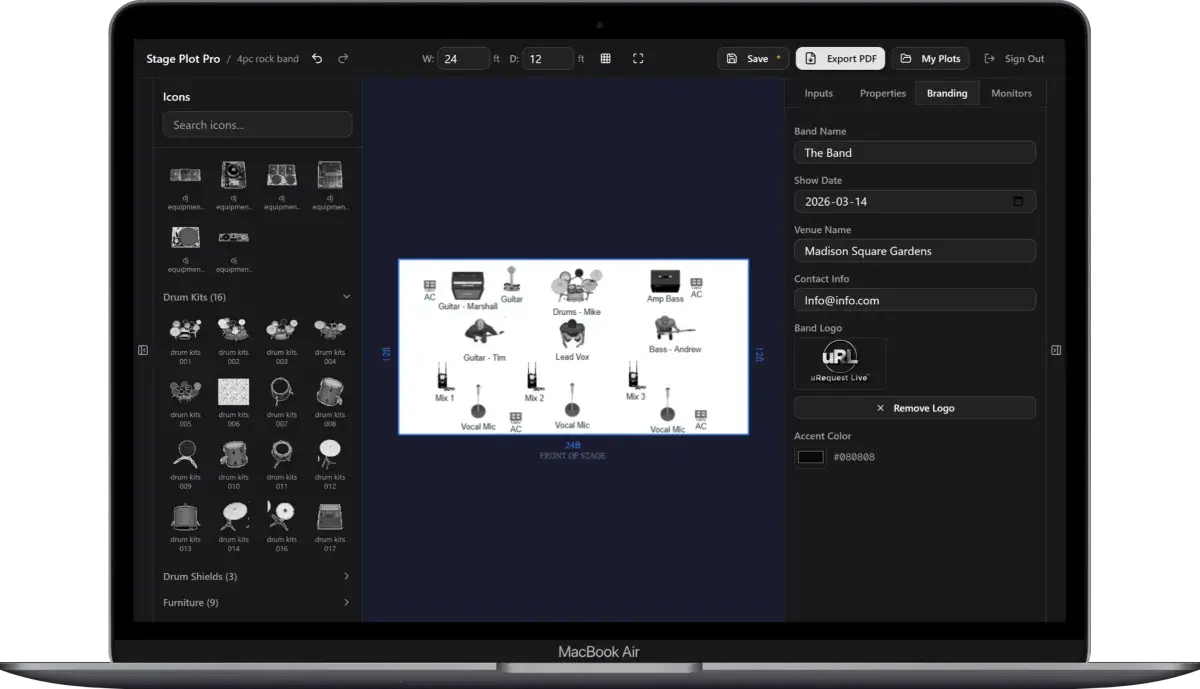
Copy this before your next advance
A monitor request should let an engineer prepare the right number of outputs before your band is on stage. It is not a demand for a finished mix before they have heard the room. Keep it short, state what each performer must hear to play, and leave the engineer room to make level and EQ decisions safely.
| Mix and position | Format, recipients, and priorities |
|---|---|
| Mix 1 - downstage centre | Wedge for lead vocal. Priority: lead vocal, acoustic guitar, light kick. |
| Mix 2 - stage left | Wedge for guitar vocal. Priority: own vocal, lead vocal, guitar, snare. |
| Mix 3 - stage right | Wedge for bass vocal. Priority: own vocal, lead vocal, bass DI, kick. |
| Mix 4 - drums | Wired IEM or drum wedge. Priority: click, bass, lead vocal, tracks. Click is monitor-only. |
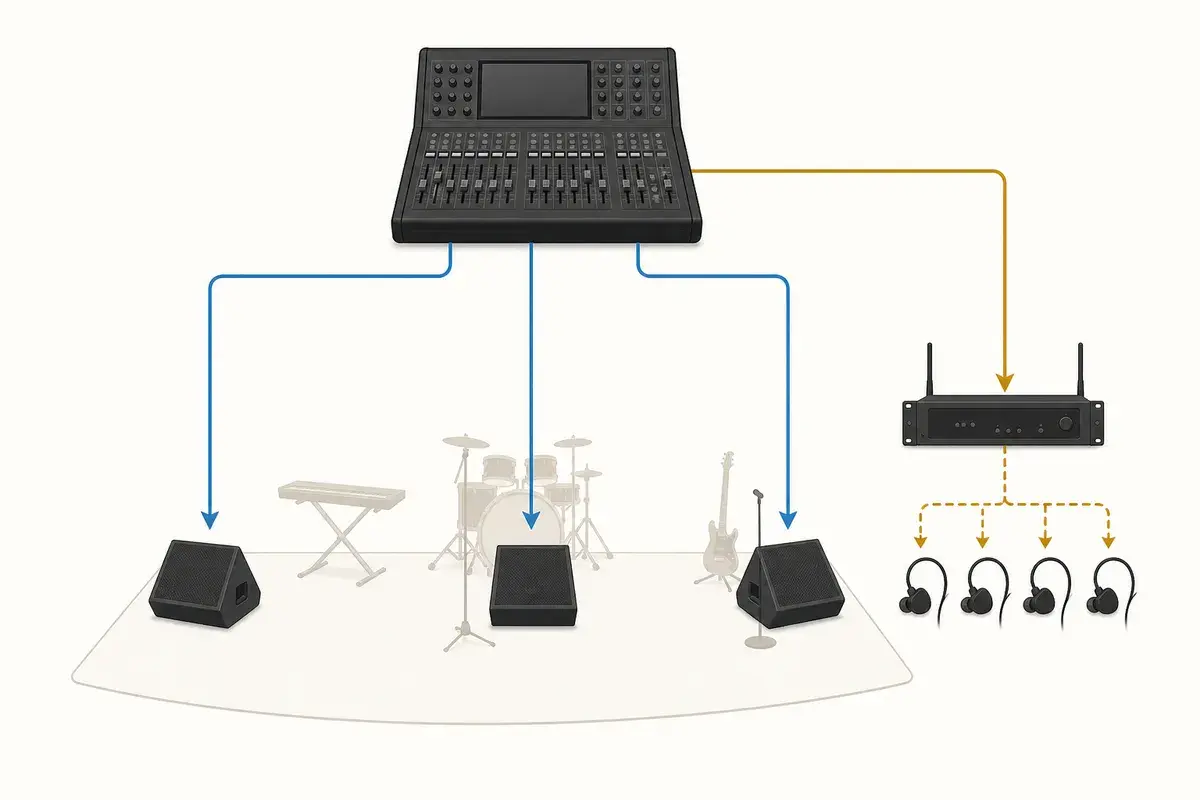
Start the document with the total: Four monitor mixes requested: three wedges and one drum IEM feed. That single sentence lets production check aux count,
amplification, wedges, and cable paths while they still have time to ask a
question.
Use priorities, not complete playlists
Every performer can name twenty things they would like to hear. That is not a useful starting mix. List the two to four sources that affect timing, pitch, or cues for that performer. A lead singer needs their own vocal first. A drummer playing to click needs click and rhythm information first. A guitarist who sings needs their vocal and a point of reference, often lead vocal or snare, before they need a full front-of-house-style band mix.
The engineer will adjust the final blend for the stage, microphones, and show. The request explains intent; it does not replace listening during soundcheck. For the underlying system choices, use the wedges versus IEMs guide.
Mark shared mixes and stereo mixes unambiguously
If two performers share a wedge mix, write both positions on the same line:
Mix 2: stage left guitar and stage right bass, shared wedge mix. Do not list
two mix numbers when there is only one console send. If a performer needs a
stereo IEM mix, label left and right as one stereo pair and confirm that the
venue can provide two outputs for it.
For a full IEM rack, include who owns the transmitters, whether you provide a split, and who controls the mixes. This does not need to become a wiring diagram in the rider; the detailed signal path belongs in a separate advance note when production needs it.
Keep click and cue routing out of the PA
Write the exact rule in plain language: Click: Mix 4 only. Do not send to front of house. If a guide track goes to multiple IEM packs, name them.
Click and guide signals are physical inputs, so they should also appear in the
input list with matching names. A monitor request
is the second confirmation, not a substitute for a labelled channel.
Pair the request with the stage plot
On the stage plot, draw the wedge, IEM rack, or personal mixer at the correct
performer position and label it Mix 1, Mix 2, and so on. Keep the labels
identical to this template. The plot gives stage crew placement information;
this request gives the monitor engineer musical priorities. Together they
remove the most common ambiguity from a rushed soundcheck.
Frequently asked questions
Should I include exact monitor levels?
No. Levels depend on the room, microphone choice, and stage volume. List priorities and let the engineer set safe working levels.
Should every band member get a separate mix?
Only when the console, output count, and time support it. Separate mixes are helpful when performers have conflicting needs; shared mixes are common on smaller shows.
Where do I put monitor requests in a tech rider?
Give monitoring its own short section after the stage plot and input list. Put special routing, click, and provided equipment in concise notes.
Field workflow: turn the advice into a usable advance
A monitor request should establish output count, physical format, performer position, and musical priorities. It is a starting point for the monitor engineer, not a frozen mix. Listing every source at the same importance hides the information that keeps a performer in time, on pitch, and aware of cues.
Use this workflow
- Count mono wedges and mono or stereo IEM outputs.
- Label each mix by number and performer.
- Ask for the top three priority sources per mix.
- Mark click, guide, ambience, and talkback destinations.
- Define the minimum workable plan when output count is limited.
Working example
Mix 4 might read: wired mono drum IEM; click first, then tracks, bass, lead vocal, and kick. Mix 1 might be a lead-vocal wedge with own vocal first, acoustic guitar second, then keys. Those descriptions let the engineer build useful starting points without copying the house mix into every output.
Engineer’s note
Stereo IEM consumes two console outputs, and wireless systems also require coordinated transmitters, packs, antennas, and RF planning. Do not request “four stereo ears” as if it were four outputs. State whether the artist supplies the complete system and whether the venue must provide analog or digital sends.
Adapt it to the venue without losing the source of truth
Keep one master document for the traveling lineup, then make a deliberate venue or format revision when the stage, backline, channel capacity, monitor system, or performer count changes. Put the revision date in the file and on the page. If a venue proposes a substitution, record the accepted change in the advance thread instead of quietly turning it into a permanent requirement.
When resources are limited, reduce the plan in an agreed order. Protect the sources and outputs that carry timing, pitch, safety, and show control first; simplify preferences second. A tested mono playback feed, shared wedge plan, reduced drum-mic package, or alternate backline choice is useful only when the band has approved it before the changeover clock starts.
Run a two-minute production review
Read the finished package from the perspective of a technician meeting the act for the first time. Count the physical connections, identify the artist handoff points, trace private cues to their destinations, and separate facts from requests. Then compare the terminology across the plot, list, rider, cable labels, and email. A source with three different names becomes three separate troubleshooting questions.
After the show, capture only changes that will travel. Update the master for a new performer, instrument, output, monitor system, or permanent rig change. Leave one-night venue substitutions in the date notes. This keeps a useful local workaround from becoming inaccurate information on every future advance.
Final verification
- Every mix has one owner.
- Output consumption is honest.
- Private cues name destinations.
- A reduced plan exists.
Ask someone who did not build the document to review it for two minutes. If they cannot identify the performers, inputs, monitor plan, ownership, and unresolved questions without coaching, revise the labels before sending it. A fast independent read is the closest rehearsal for how production will use the material.