Monitor Mixes
Wedges vs In-Ear Monitors: Live Band Planning Guide
Compare wedge monitors and in-ear monitors for live bands, including cost, feedback, isolation, mix count, click routing, stage-plot notes, and venue planning.
By Stageplot Pro Editorial Team Updated
The useful question is not which system is better
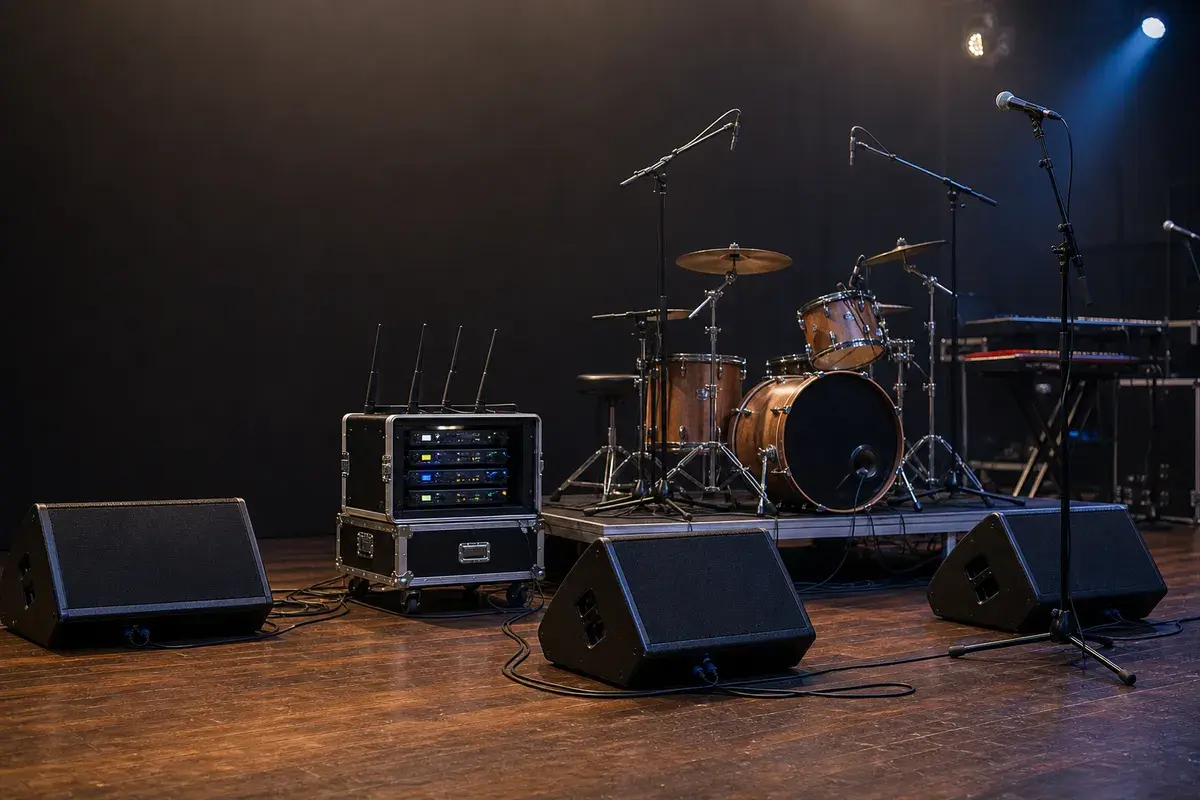
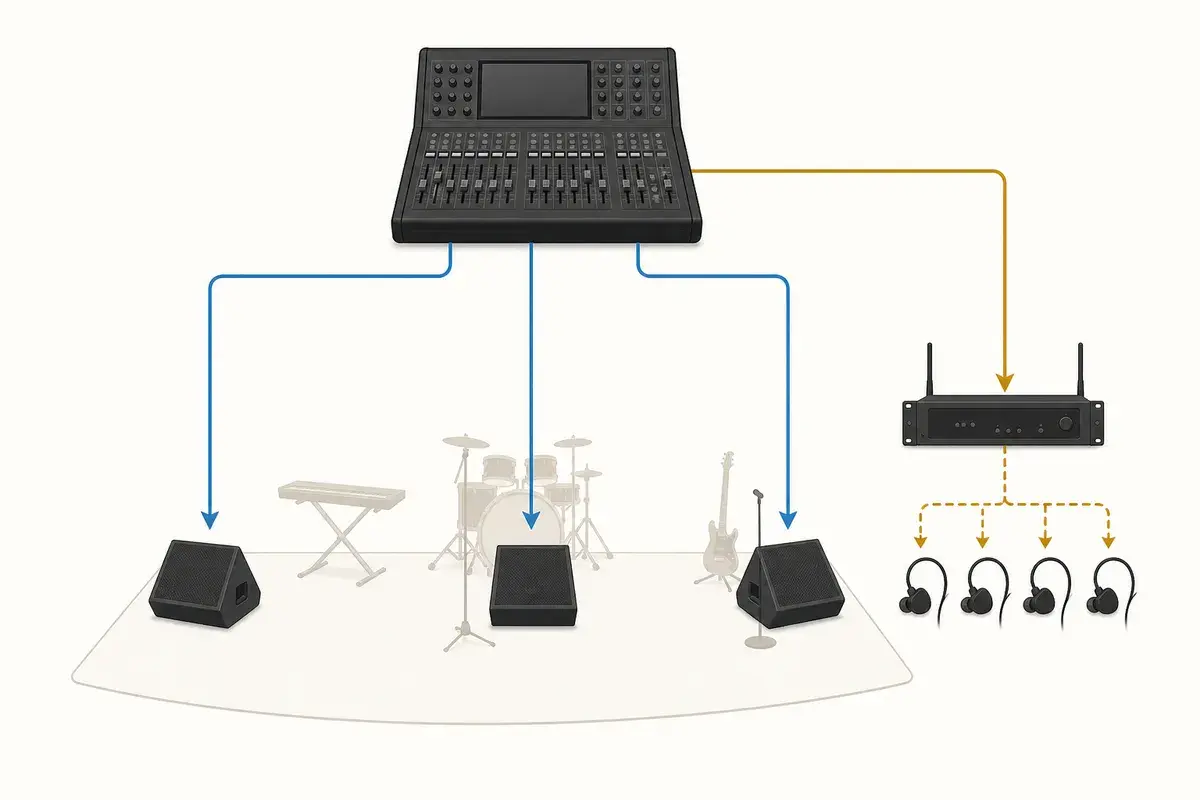
Wedges and in-ear monitors solve different problems. A wedge is a loudspeaker on the stage floor fed from an auxiliary output. It is fast to deploy, works with almost any house console, and lets performers hear the room and one another naturally. An in-ear-monitor (IEM) system sends a dedicated mix to earpieces through a wired beltpack or wireless receiver. It reduces stage volume and microphone spill, but requires more discipline around routing, hearing protection, batteries, RF, and backup plans.
The right choice is the one your band can set up, communicate, and soundcheck reliably. Do not request a full stereo IEM package from a small venue simply because it sounds more professional on paper. Equally, do not keep adding louder wedges to solve a problem caused by unclear mix priorities.
| Format | Best fit and trade-off |
|---|---|
| Shared wedges | Simple club dates; least setup, but every performer hears the same blend. |
| Independent wedges | Bands that need separate mixes; consumes one aux output per mix and needs careful feedback control. |
| Hybrid wedges + IEMs | A practical upgrade path: isolate click-dependent players while keeping simple wedges up front. |
| Full IEM system | Repeatable touring setup with lower stage volume; needs proper output count, coordination, and hearing-safe working levels. |
When wedges are the sensible choice
For a short club set with a simple lineup, wedges are often the fastest and
most reliable choice. Ask for a mix by position, such as Mix 1: lead vocal and acoustic guitar, stage left, not a long list of equal-priority sources.
Place the wedge in the microphone's rejection area and aim it at the
performer's ears. Turning a wedge toward knees or shins encourages everyone
to ask for more level and reduces gain before feedback.
Wedges become difficult when the band needs click, very loud guitars, several independent vocal priorities, or a highly reflective stage. Those are system limits, not a reason to fight the engineer. A clear monitor mix guide helps the band identify the actual priority for each position before doors.
When IEMs solve a real production problem
IEMs are most valuable when the band needs repeatability. Drummers running a click, keyboard players with stereo sources, acts using backing tracks, and bands with a self-contained monitor rack all benefit from controlled mixes. They also keep monitor energy out of vocal microphones, which can make front of house clearer and give the engineer more usable vocal gain.
An IEM system is not automatically safer or better sounding. Start mixes at a conservative level, include ambience only deliberately, and keep a wired fallback or spare earphones where the show matters. A performer who removes one earpiece to hear the room often turns the other side up too far; a small amount of controlled ambience or a properly planned open-ear solution is usually the better fix.
Count outputs before you promise a monitor plan
Each independent monitor blend needs its own console output path. A five-piece band requesting four stereo IEM mixes and two wedges needs far more than six physical outputs: each stereo mix consumes a left and right output. Confirm what the venue can provide before the day of show. If the room has fewer auxes than your ideal plan, decide in advance which players can share a mix or which sources can be simplified.
Write the requirement in two places. Put the physical position and mix number on the stage plot, then put the mix content and special routing in the rider or monitor mix request template. The plot tells crew where equipment belongs; the request tells the monitor engineer what each output needs to contain.
Click, guide, and tracks are not ordinary monitor requests
Click must never arrive at front of house. A playback rig needs a separate
click output, clearly named on the input list, and
an explicit note about which mixes receive it. A spoken guide or count-in is
also monitor-only unless production confirms otherwise. If only the drummer
needs click, say that; do not leave an engineer to guess from a channel called
tracks.
Frequently asked questions
Can a band share one IEM mix?
Yes, especially on smaller dates, but players must agree on the priorities. Treat it as a deliberate compromise and label every pack that receives the shared mix.
Do IEMs eliminate feedback?
They remove wedge-to-microphone feedback, but microphones, PA, acoustic instruments, and other systems can still feed back.
Should monitor requirements appear on the stage plot?
Yes. Mark the position and mix number on the plot, then add the detailed mix contents in the rider or input-list notes.