Stage Plot Pro Team /
Console Exports: What We Actually Ship and Why It Matters
We only ship console exports we can verify byte for byte against real documentation. Here is what works today, what is close, and why some formats never will.
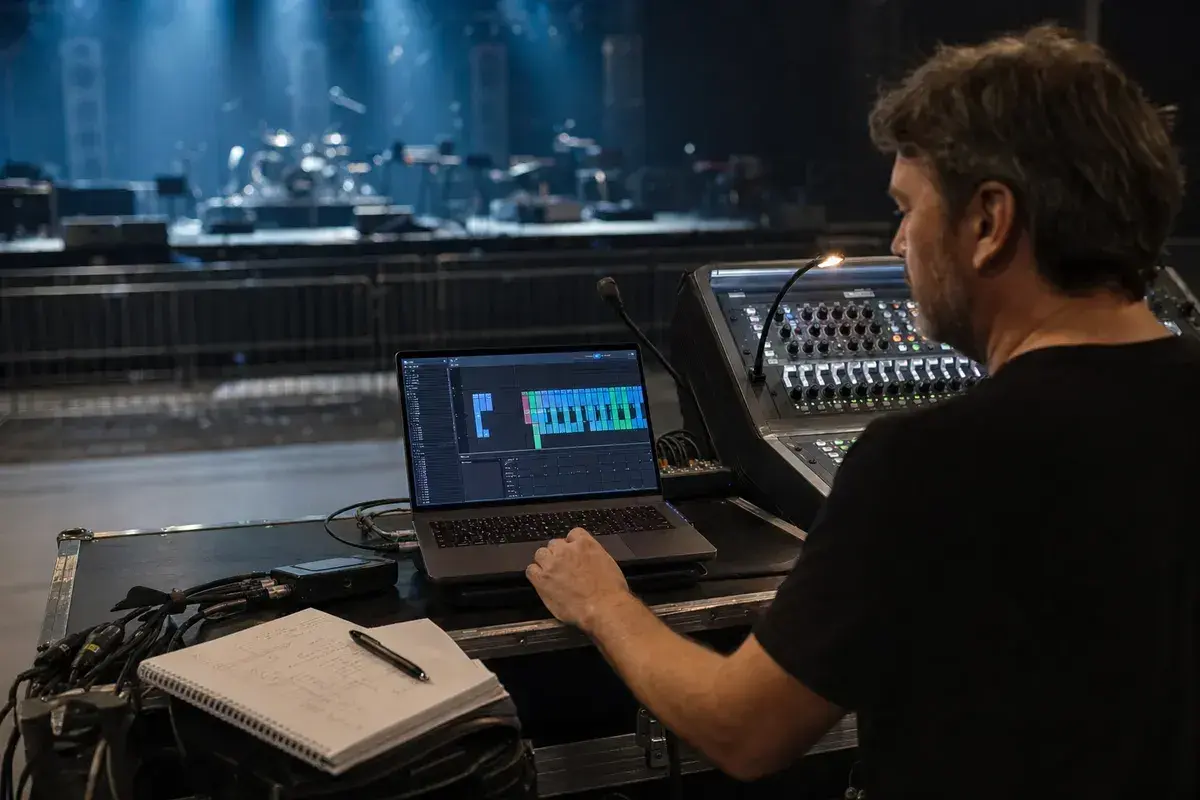
The rule we hold ourselves to
A console export is not a nice-to-have file, it is something an engineer
loads onto a live desk in front of an audience. If we guess at a file
format and get a byte wrong, that guess does not just fail quietly, it can
load a malformed scene onto a console at soundcheck. So our rule for
shipping a console export is simple: we only ship a format once we can
verify its exact structure against real, citable documentation or a real
exported sample. If we cannot verify it, we do not ship it, no matter how
often it gets requested.
What ships today
Two console paths are live in the editor right now. The
first is a Behringer X32 or Midas M32 scene file, a full .scn show file
built from your input list that includes EQ, dynamics, and sends, with an
optional AI enhancement pass on top of the base scene. The second is an
Allen & Heath dLive or Avantis channel CSV, built for the Director CSV
import path: channel names and 48V phantom pre-labels, generated straight
from your input list with no manual re-entry. Both are available from the
export console file menu once you have built your input list.
What is built but not switched on
Yamaha CL and QL consoles import channel data through the CL/QL Editor,
which reads a folder of CSV files. We have verified how that mechanism
works, the character limit on channel names, the way quoting is handled,
and the vocabulary used for colour and icon tokens, all documented in
Yamaha's own supplementary manual. What we could not verify from any public
source is the exact filenames and column order the Editor expects. Guessing
at that risks shipping a file that looks right but imports channel data
into the wrong fields. So the Yamaha emitter exists in our codebase,
built and tested against everything we could confirm, but it is
deliberately not wired into the export menu until we can confirm the
missing piece against a real exported sample.
Why DiGiCo and Avid are not on the list
These come up often, and the honest answer is that a names-only import for
either one is not something we can build with the information that exists
publicly. DiGiCo SD session files are proprietary binary .SES files, and
the only supported way to move a session in or out of one is DiGiCo's own
SD Convert utility, which is tied to specific software versions. There is
no published or reconstructable text layout to target. Avid VENUE systems
(Profile, SC48, S6L) work the same way: show data lives in an opaque
proprietary binary bundle, moved only through Avid's own VENUE software,
with no documented name or channel import format available outside it.
Building an export for either would mean reverse engineering a binary
format with no vendor documentation, which is exactly the kind of guess
that could put a broken file in front of an engineer at a gig. Unless
either vendor publishes or licenses their format, this stays off the list.
What this means for you
If your house or FOH engineer runs an X32, M32, dLive, or Avantis, you can
generate a console file directly from your stage plot's input list right
now, no manual channel entry required. If they run a Yamaha CL or QL, or
anything else, you are still fully covered on the PDF and shareable link
side, which every engineer can work from regardless of console. We would
rather tell you plainly what is not ready yet than ship something that
might fail on a real desk.
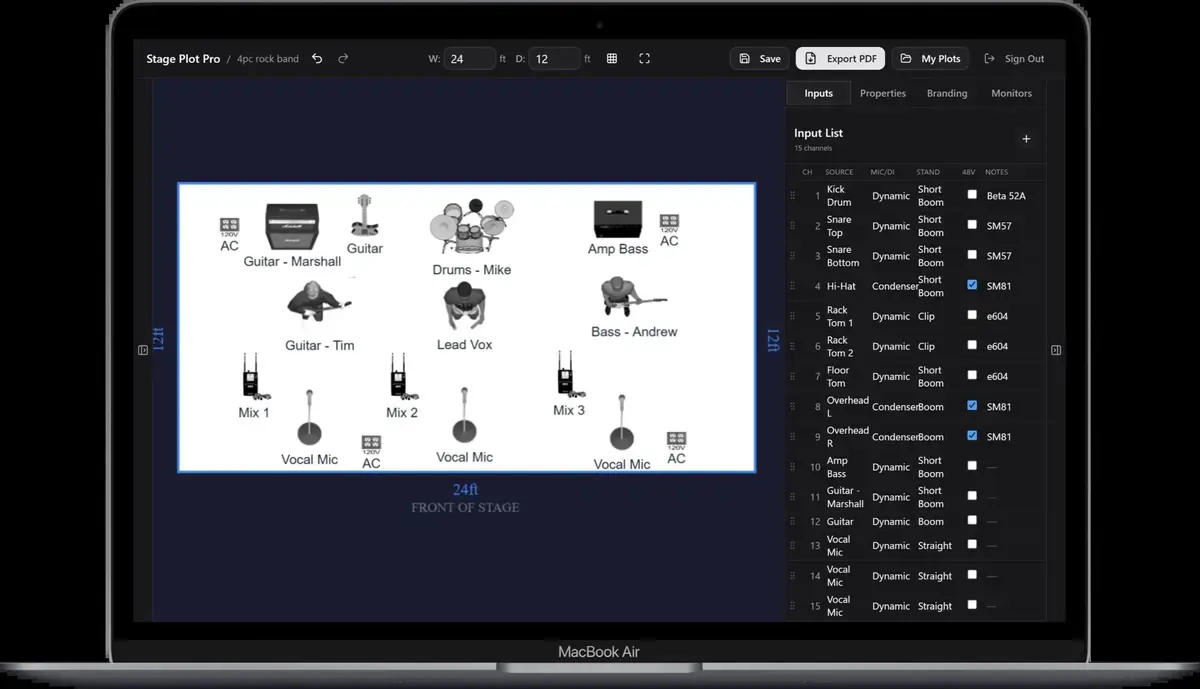
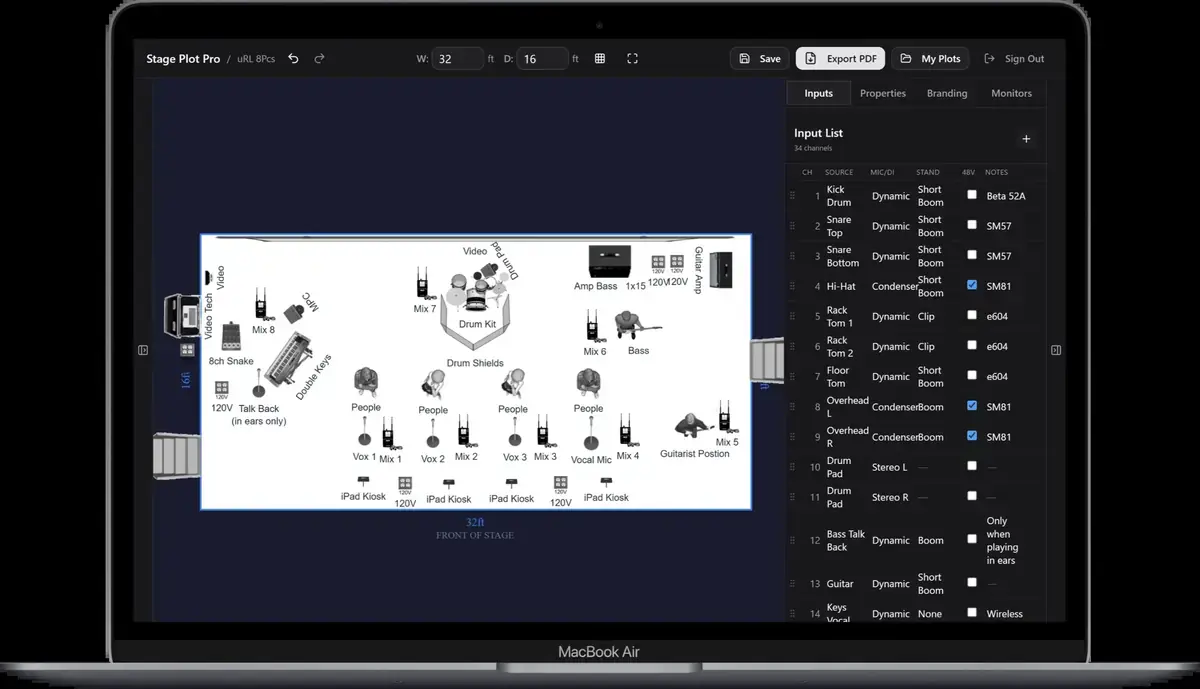
Building your input list is the first step either way. Start from a
template like the funk band with
horns or the country five
piece layout, or from scratch,
and our input list guide covers how channel
count and mic type get derived from what you place on stage.
A real-world production scenario
A console file is useful only when it reflects the actual inputs, destinations, and naming conventions of the show. The failure mode is not usually a dramatic corrupt file. It is a quiet mismatch: a renamed vocal that no longer lines up with the plot, a stereo source collapsed to one channel, or an output assignment that assumes hardware the venue does not own. A responsible export workflow starts by treating the input list as the source of truth, then validating every translated field against the target console format.
A repeatable workflow
- Freeze the stage plot and input list version before exporting; do not build a console file from a moving target.
- Confirm model, firmware family, sample rate, stage-box type, and whether the venue wants a full show file or a human-readable starting sheet.
- Normalize channel names without destroying meaning: keep left/right pairs, monitor-only sources, talkback, playback, and utility channels explicit.
- Open the exported file in the manufacturer editor or other documented validator and compare channel count, order, names, and patch assignments.
- Send the verified export beside the PDF input list so the engineer can audit it without trusting a black box.
The order matters. It moves from known facts to local decisions and leaves the room-dependent work with the people who can hear and inspect the system. Skipping directly to preferences is how a polished document becomes difficult to execute.
Decisions to settle before the show
- Who owns preamp gain and the physical patch?
- Is the file a starting point or an instruction to overwrite the house show?
- Which settings are deliberately omitted because they depend on the room?
- What is the fallback when the venue firmware or hardware differs?
If an answer depends on the venue, write the question and the preferred solution instead of presenting an assumption as a requirement. That gives production something concrete to confirm and prevents avoidable surprises at load-in.
Make the handoff unambiguous
A good handoff sentence is specific: “Attached is a verified starting file for 24 inputs on the agreed console family; channel order and labels match revision 7 of the input list, while gains, output patching, matrices, system EQ, and show control remain with the house engineer.” That tells production what can be trusted and what still requires local judgment.
The final package should survive a quick read on a phone, a printed copy at the stage rack, and a conversation over intercom. Use current filenames, readable labels, and the same terminology everywhere. When the documents disagree, the crew has to stop and discover which version reflects the real show.
Prove the plan before load-in
Do a tabletop check with someone who did not build the document. Give them two minutes and ask them to explain the physical setup, count the required inputs and outputs, identify artist-supplied gear, and point to the first likely production question. Do not coach them through it. Every pause exposes a label, assumption, or missing relationship that will also slow a venue crew.
Then trace the workflow in signal-flow order. Start with the source, follow the connection to the stage input, confirm the console channel or destination, and finish at the required PA, monitor, recording, or show-control output. This catches a different class of mistake than proofreading. A document can be spelled perfectly while describing an impossible or incomplete route.
Control revisions like production equipment
Keep one master version, create deliberate venue-specific copies, and place the revision date where it remains visible after printing or separating pages. A descriptive filename with the band name, document type, and ISO date is easier to trust than a file called final-v2-new. When a last-minute change is unavoidable, state exactly what changed in the email instead of forcing production to compare two PDFs.
After the show, update the master only when the change will travel. A one-night local substitution belongs in the venue notes; a new keyboard, vocalist, playback output, or monitor system belongs in the master. That discipline keeps useful local compromises from quietly becoming false requirements on every future date.
Final preflight checklist
- Confirm the lineup, stage orientation, source count, monitor count, and ownership of all artist-supplied equipment.
- Compare the plot, input list, and rider for the same names and revision date.
- Identify substitutions and fallbacks before they become time-critical.
- Open every exported file once and check that text, images, and page breaks remain readable.
- Send one technical contact who can answer production questions promptly.