Tech Riders
Band Advance Email Template for Venues and Festivals
Send a clear band advance email with your stage plot, input list, rider, contact details, load-in questions, and a simple way for production to reply.
By Stageplot Pro Editorial Team Updated
Copy-and-edit advance email
Send this after the booking is confirmed and before the production deadline. Replace the brackets, remove anything that does not apply, and keep the actual technical detail in the attachments.
| Part of the email | Copy to adapt |
|---|---|
| Subject | [Band name] technical advance - [date] - [venue or festival] |
| Opening | Hi [production contact], we are looking forward to [show]. Attached are our current stage plot, input list, and technical rider. |
| Setup summary | Lineup: [count and roles]. We bring: [key backline]. We require: [only venue-provided essentials]. |
| Questions | Please confirm stage dimensions, available monitor mixes, shared backline, load-in, line-check window, and day-of-show audio contact. |
| Close | Our day-of-show technical contact is [name, mobile]. Please reply with any substitutions or limits so we can update the paperwork before show day. |
Attach documents with names that survive a busy inbox
Use names that include the band and show date, such as
BandName_StagePlot_2026-08-16.pdf and BandName_InputList_2026-08-16.pdf.
Avoid latest-final-v3.pdf; it tells production nothing when multiple acts
are advancing on the same day. If you send a revised version, update the date
or revision clearly and say exactly what changed.
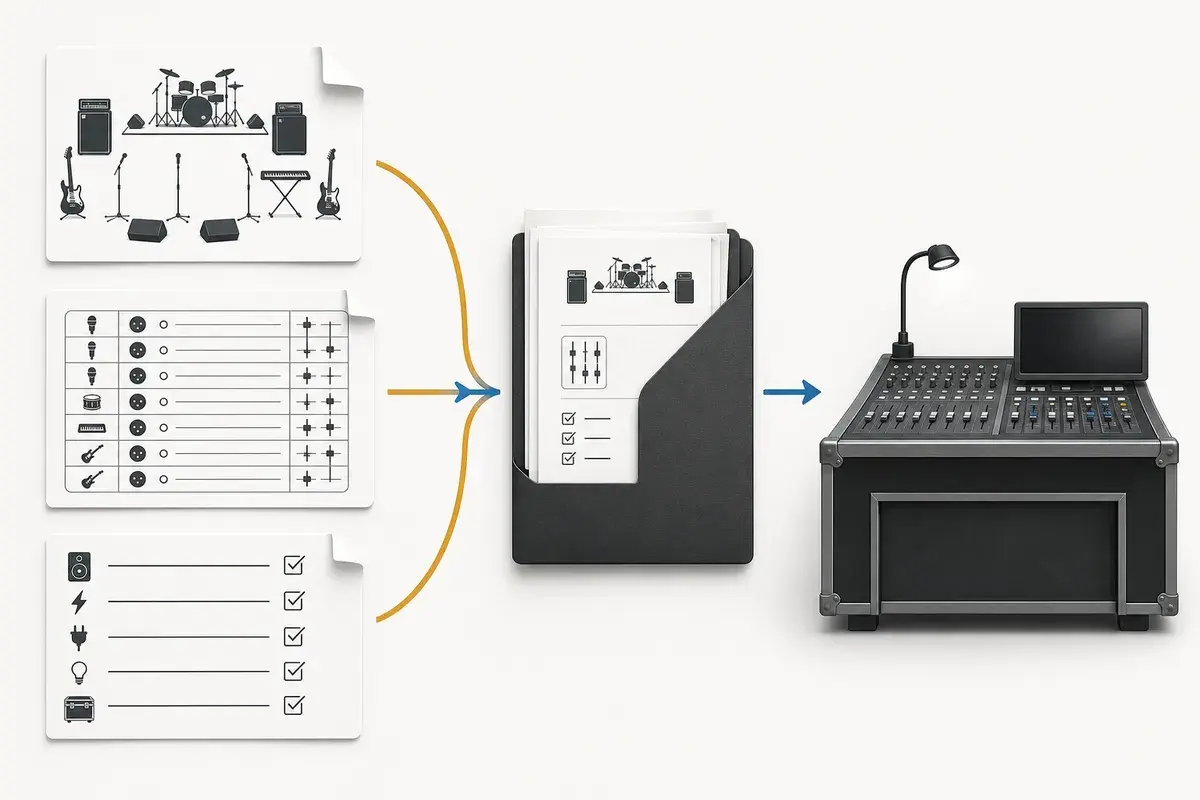
The plot, list, and rider should agree. Run the stage plot checklist before sending them so the email does not create another round of correction.
Ask questions that change the show plan
Most advance emails fail by being either too vague or too long. Ask whether the stage footprint fits the actual plot, how many monitor mixes are available, which backline is shared, when load-in and line check happen, and who handles audio on the day. These answers can change your patch, monitor plan, or festival version of the plot.
Do not ask the venue to reconfirm information that is already in the contract or production schedule. Do not include a long biography, hospitality wish list, or every possible gear preference in the email body. Link or attach the rider instead.
Advance differently for a festival
For a festival, include the set length, changeover time, whether the band uses house backline, and any time-critical tracks or IEM requirements in the first paragraph. Festival production teams are coordinating many acts; a concise summary helps them spot a conflict before show day. Use the dedicated festival stage plots guide to make a version that reflects the time and shared equipment actually available.
Handle limits before you arrive
Production may reply that they have fewer monitor mixes, no stereo DI pair, or a smaller stage than requested. That is useful information, not a reason to argue by email. Decide your fallback, update the documents, and send a clean revision. A production team can work with a clear compromise; it cannot work with an unchanged rider that assumes equipment the room does not have.
Frequently asked questions
Should I attach PDFs or send links?
Use the format the venue requests. A stable PDF is easy to print and archive; a shareable link is useful when the production team can access the latest revision.
Who should receive the advance?
Send it to the production or venue contact named by the promoter, then copy the person responsible for technical decisions if they are identified.
What if nobody replies?
Follow up through the booking contact before the deadline. Do not assume silence means every requested item is confirmed.
Field workflow: turn the advice into a usable advance
The advance email is the cover sheet for the technical package. Its job is to identify the date, act, venue, document revision, and decisions that still need confirmation. Production should not have to search a long message for the one question that blocks preparation. Attach or link one current package, name a single technical contact, and separate confirmed facts from requests.
Use this workflow
- Use a subject line with artist, venue, and show date.
- Open with lineup and attachment revision, then list only unresolved questions.
- State artist-supplied gear, requested house gear, and approved substitutions.
- Ask for confirmation by a useful deadline and keep later changes in the same thread.
- Send a short revision note when a document changes instead of silently replacing it.
Working example
For a six-piece club date, the useful questions may be whether the house can supply four wedges, whether the drum shell pack is available, and which stage box the playback loom should reach. The email should not repeat all 22 input rows. It should point to revision 4 of the attached list and highlight only the three decisions production must answer.
Engineer’s note
Avoid demanding specific console scenes, preamp gains, system EQ, or microphone models unless the show genuinely depends on them. Those choices belong to the local system engineer. Advance the source, placement, connection, destination, and performance constraint; let the venue solve the room-dependent part.
Adapt it to the venue without losing the source of truth
Keep one master document for the traveling lineup, then make a deliberate venue or format revision when the stage, backline, channel capacity, monitor system, or performer count changes. Put the revision date in the file and on the page. If a venue proposes a substitution, record the accepted change in the advance thread instead of quietly turning it into a permanent requirement.
When resources are limited, reduce the plan in an agreed order. Protect the sources and outputs that carry timing, pitch, safety, and show control first; simplify preferences second. A tested mono playback feed, shared wedge plan, reduced drum-mic package, or alternate backline choice is useful only when the band has approved it before the changeover clock starts.
Run a two-minute production review
Read the finished package from the perspective of a technician meeting the act for the first time. Count the physical connections, identify the artist handoff points, trace private cues to their destinations, and separate facts from requests. Then compare the terminology across the plot, list, rider, cable labels, and email. A source with three different names becomes three separate troubleshooting questions.
After the show, capture only changes that will travel. Update the master for a new performer, instrument, output, monitor system, or permanent rig change. Leave one-night venue substitutions in the date notes. This keeps a useful local workaround from becoming inaccurate information on every future advance.
Final verification
- The subject includes the show date.
- The plot and list carry the same revision.
- All questions can be answered directly.
- The technical contact will be reachable.
Ask someone who did not build the document to review it for two minutes. If they cannot identify the performers, inputs, monitor plan, ownership, and unresolved questions without coaching, revise the labels before sending it. A fast independent read is the closest rehearsal for how production will use the material.