Gear
Phantom Power Explained: What It Is and When You Need It
What phantom power is, which mics and DI boxes need 48 volts, what it can damage, and how to switch it on safely without sending a pop through the PA.
By Stageplot Pro Editorial Team Updated
What phantom power is
Phantom power is 48 volts of DC current sent up the same balanced XLR cable that carries your audio signal, running on pins 2 and 3 relative to pin 1 ground. It powers the internal electronics of condenser microphones and active DI boxes, both of which need voltage to operate that a passive dynamic mic or a passive DI does not. Every digital console and most analog consoles switch it per channel, usually a button labeled 48V next to each input, so you only send power to the channels that actually need it.
What needs it
Condenser mics need 48 volts to run at all, full stop. That covers your overhead drum mics in most kits, many acoustic instrument mics, and any vocal mic that is a large or small diaphragm condenser rather than a dynamic. Active DI boxes, like a Radial J48, also need 48 volts, since the active circuit inside does the signal conversion that a passive DI does with a transformer alone. If you are patching a keyboard through an active DI and the channel is silent, check phantom power before anything else, since a dead DI with no power looks identical to a bad cable until you rule it out.
What does not need it and what it can hurt
Dynamic mics, like a Shure SM57 or SM58, do not need phantom power and are generally unaffected by it, since their moving coil design has no active electronics to power. You can safely leave 48V on a channel with a dynamic mic plugged in without damaging anything. The exception is older or unshielded ribbon microphones, which can be damaged by phantom power if they are not modern, phantom-safe designs, because voltage across an unbalanced or poorly wired ribbon element can burn it out. If your band is running a vintage or unspecified ribbon mic, confirm with whoever owns it whether it is phantom-safe before anyone at front of house flips that switch.
Phantom power sent into anything unbalanced, like a 1/4 inch instrument cable run straight into an XLR adapter without a real DI in the chain, is also a risk. This is another reason a proper DI box matters: it is built to handle 48 volts safely on the balanced side while protecting the unbalanced instrument connection on the other end.
How consoles switch it
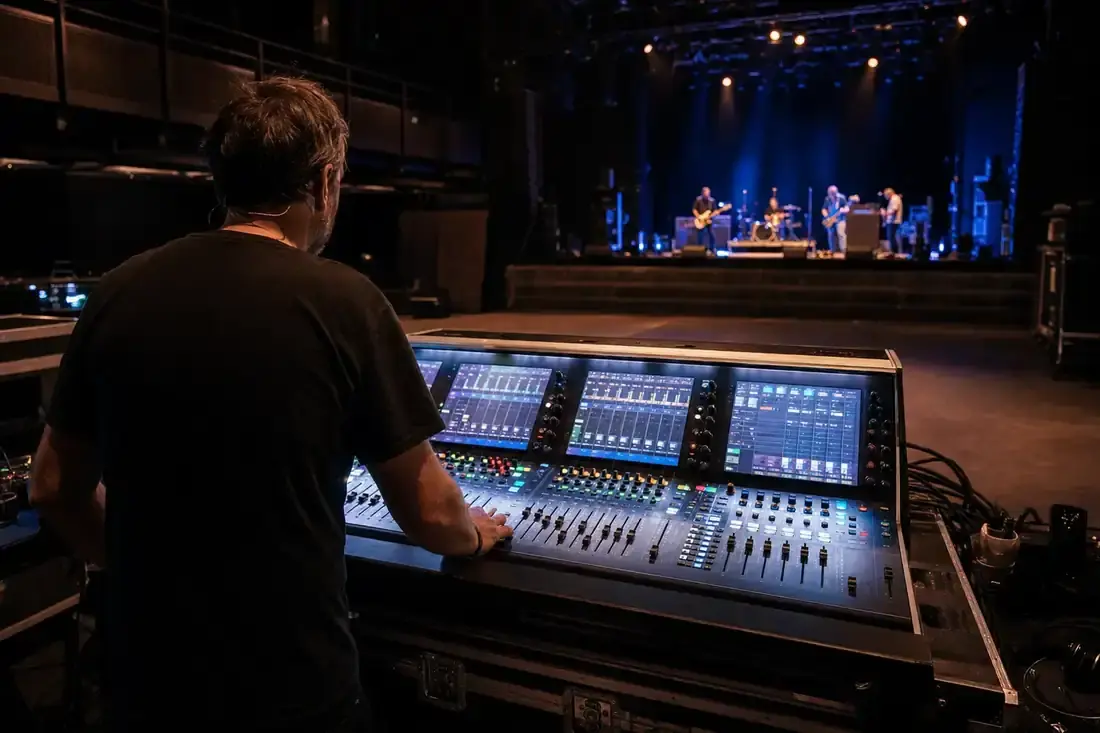
Older analog boards sometimes run phantom power on a single global switch covering every channel on the board, which means every mic and DI on stage gets 48 volts whether it needs it or not. This is fine for most dynamic mics but is exactly the setup where an unshielded vintage ribbon mic gets damaged, since there is no way to exclude just that one channel. Modern digital consoles, including an X32, an SQ, or a dLive, switch phantom power per channel instead, which is safer and is the reason most touring and house engineers prefer per-channel control over a global switch when choosing a desk.
Troubleshooting a dead channel
If a channel with a condenser mic or active DI is silent, check phantom power before assuming a cable or gain problem. The order that wastes the least time: confirm 48V is switched on for that specific channel, confirm the XLR cable is a real balanced mic cable and not a two conductor cable missing the shield connection, then check gain. A dead condenser channel with phantom off looks identical to a dead cable at a glance, and jumping straight to swapping cables before checking the simpler, more common cause costs real minutes during a soundcheck that is already running short.
Switch it on the right way
Turn phantom power on before you plug in a condenser mic or active DI, not after, and ideally with channel gain turned down. Flipping 48V on a live channel with the fader up sends a voltage transient into the signal path that can produce an audible pop or thump through the PA, which is unpleasant during a soundcheck and worse during a set. Most engineers mute or pull the channel down, switch 48V, wait a second or two for the circuit to stabilize, then bring the channel back up. It is a small habit that avoids an entirely preventable noise, and it costs a few extra seconds per channel compared to the minutes lost tracking down a mystery pop after the band has already started playing.
Where it shows up on your plot
When you build your input list in the editor, any mic or DI icon that requires phantom power should be treated as needing it consistently, so the engineer knows to switch it on before line check rather than discovering a silent channel mid-soundcheck. A jazz trio running condenser overheads and a DI'd upright bass, or a choir and piano setup running condenser mics across a vocal riser, both depend on phantom power being on for most of their channel list, which makes it worth flagging explicitly in your notes rather than assuming the engineer will infer it from the mic model alone.
The one line version
If it is a condenser mic or an active DI, it needs 48 volts. If it is a dynamic mic or a passive DI, it does not, and it is safe to leave phantom on regardless unless you are running an older ribbon mic, in which case check first. Get this right and you remove one of the most common causes of a dead channel at soundcheck.