Input Lists
Stereo Keyboard DI Guide for Live Sound and Stages
Plan stereo keyboard DI channels for live sound with correct left and right labels, balanced outputs, mono fallbacks, input lists, and stage-plot notes.
By Stageplot Pro Editorial Team Updated
Start with the keyboard’s actual outputs
Keyboard rigs vary. Some instruments offer unbalanced left/mono and right
quarter-inch outputs; some offer balanced outputs; some run through a small
mixer, a playback interface, or a keyboard submixer before they reach the
stage box. Read the instrument’s output labelling and test your exact setup
before you write the rider. A patch note that says simply Keys leaves the
engineer guessing whether to prepare one DI, two DIs, or a line-level pair.
| Rig configuration | Correct input-list entry |
|---|---|
| Mono keyboard | Keys mono - one output, one DI or suitable line input. |
| Stereo keyboard | Keys L and Keys R - two matched DI channels or a suitable balanced pair. |
| Two keyboards through a submixer | Keys submix L and Keys submix R - declare whether each player can be adjusted separately. |
| Keyboard plus playback | Keys L, Keys R, Tracks L, Tracks R, plus separate click or guide outputs as needed. |
Why two matching channels matter
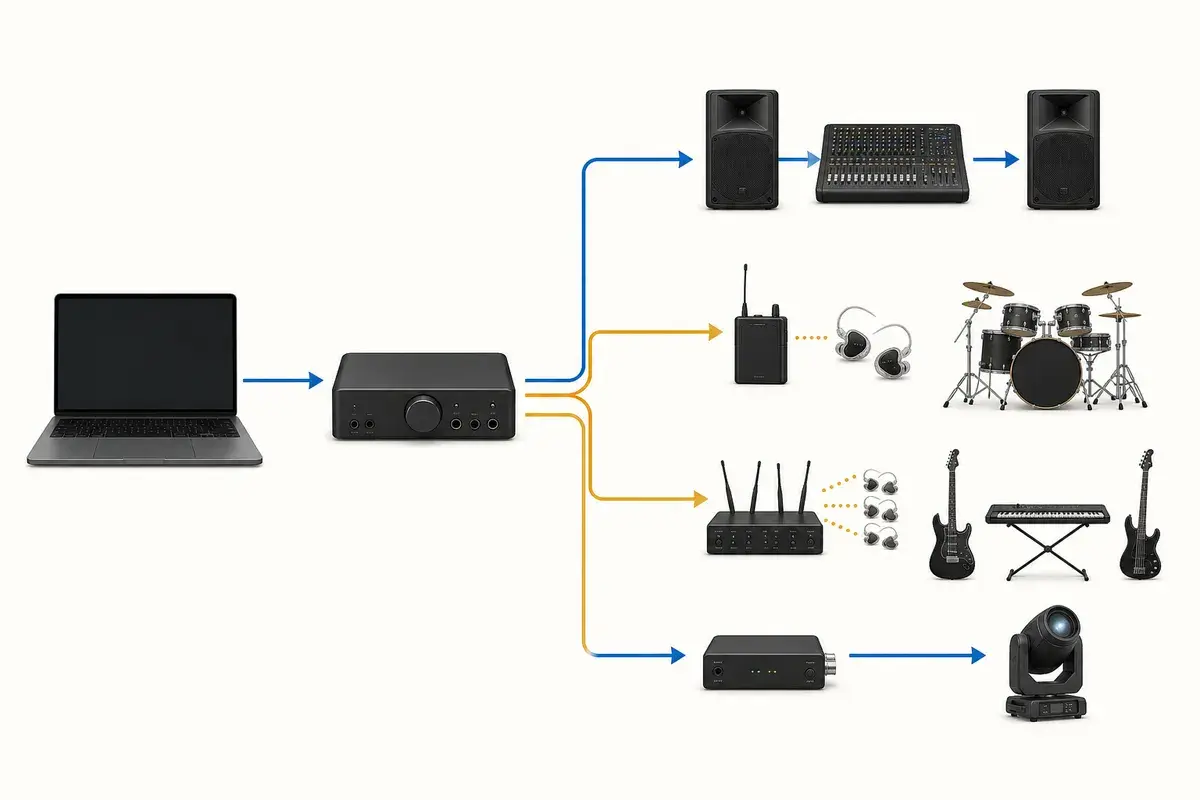
Stereo keyboards use left and right information for piano ambience, rotary
speaker effects, delays, pads, and layered sounds. Both sides need an
appropriate signal path. On the input list, put Keys L and Keys R on
adjacent rows and state that they are a pair. That lets production patch and
link them sensibly while still leaving the engineer free to choose practical
panning for the room.
Using only the left/mono output may be perfectly correct when the instrument intentionally sums its signal there. Confirm it with the manual and a rehearsal test. Do not join separate left and right outputs with a passive Y cable: outputs can drive each other and produce distortion, level changes, or an unreliable signal. Sum in the instrument, a proper mixer, an appropriate isolator, or the console.
DI boxes, line isolation, and phantom power
An unbalanced keyboard output often benefits from a dual-channel DI or two matched DIs, particularly with long stage runs or a potential ground-loop problem. A device with balanced line outputs may instead use an appropriate balanced connection or line isolator. The right choice depends on the source level, connector type, distance, and house system, not a universal rule that every keyboard must use the same box.
State whether the artist brings the DIs or needs the venue to provide them. If you use active DIs or powered equipment, document their requirements but leave phantom-power switching to the engineer after the lines are connected and checked. The DI boxes explained guide covers the practical difference between common DI types.
Build a realistic mono fallback
A stereo keyboard rig should not fail because a small venue has one spare input. Prepare a tested fallback: use the instrument’s intentional left/mono output, make a mono submix in your own mixer, or ask the engineer to sum the channels at the console after confirming phase and balance. Mark this in the rider as a fallback, not as the default patch. A venue that can support stereo will then use the full version without guessing.
Put the patch information where each person needs it
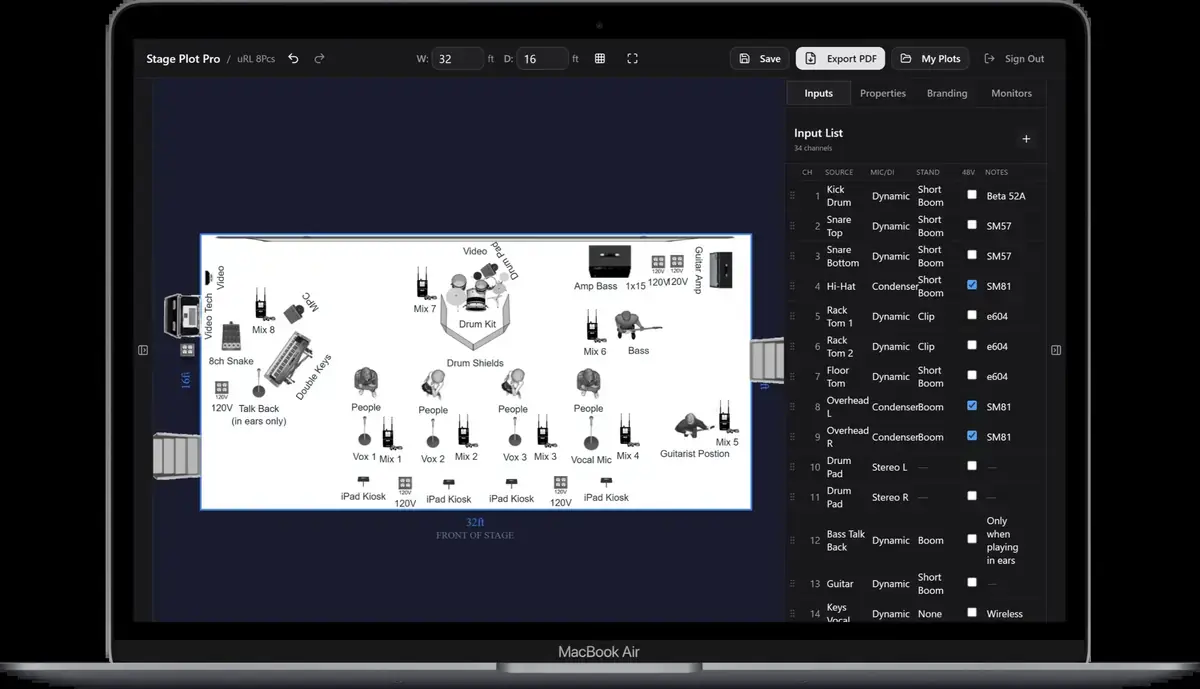
The stage plot should show the keyboard position, stand, pedals, power, DI or
submixer location, and cable exit. The input list should state Keys L and
Keys R with connection notes. The rider should say whether the band brings
the DI pair and whether stereo is required or preferred. This separation keeps
the document readable for stage crew, audio crew, and production management.
Frequently asked questions
Do stereo keyboards always need two DI boxes?
They need two suitable input channels. A dual-channel DI is common for unbalanced outputs; balanced-line or isolation options may be better for other rigs.
Should I demand stereo at every venue?
State whether it is required or preferred. Bring and test a mono fallback for rooms with limited inputs or small PA systems.
Where should I label left and right?
Use the same labels on the interface or keyboard, cable loom, input list, and console patch. Consistent labels reduce setup errors.
Field workflow: turn the advice into a usable advance
A stereo keyboard requires two outputs, two suitable connection paths, two stage-box inputs, and two console channels. A dual-channel DI is convenient, but it does not turn two signals into one. The plot and input list must preserve left and right while also documenting a tested mono fallback for rooms or dates with limited channels.
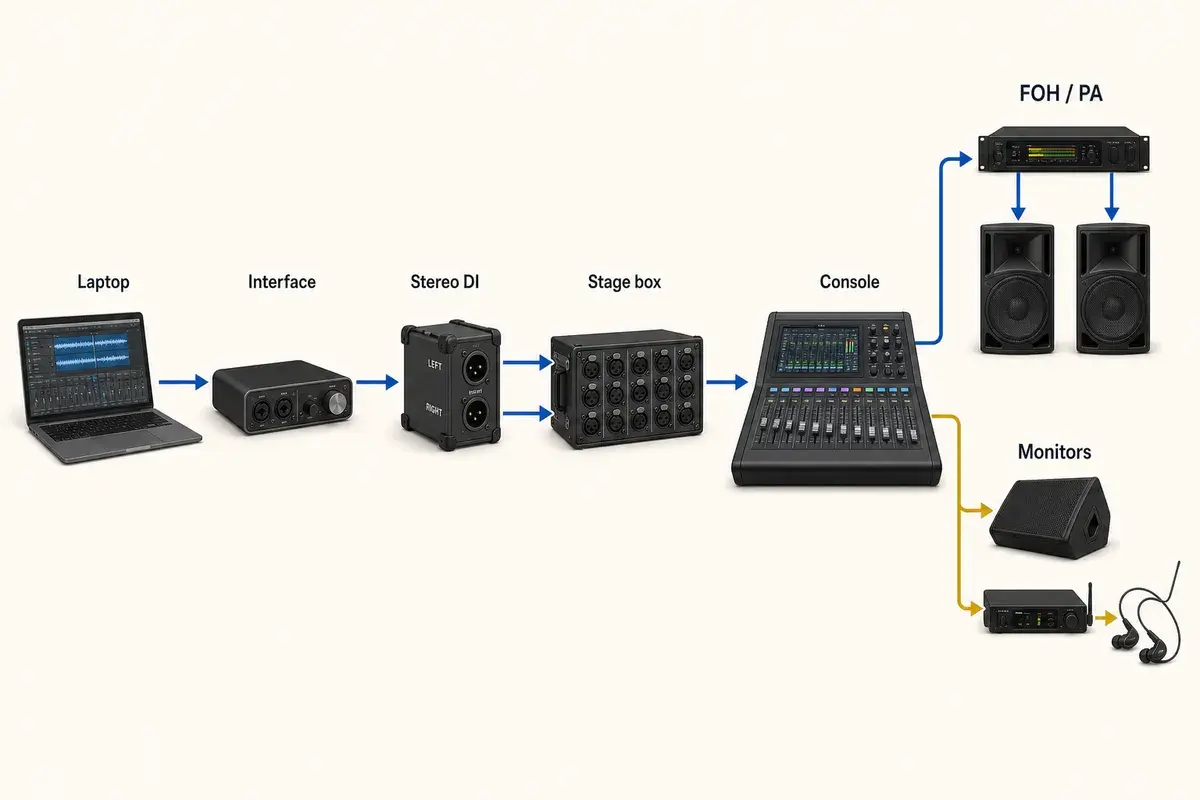
Use this workflow
- Confirm whether the keyboard outputs are balanced or unbalanced.
- Use left/mono and right outputs according to the instrument manual.
- Choose DI or line isolation appropriate to level and cable run.
- Keep L/R channels adjacent and label the pair consistently.
- Test the left/mono fallback with the actual patches used onstage.
Working example
A two-keyboard rig may use Keys 1 L/R and Keys 2 L/R for four channels. If both instruments feed a small artist mixer, the handoff might instead be one stereo pair, but then the performer owns the internal balance. The input list must describe the output that production receives, not every device upstream of that handoff.
Engineer’s note
Never passively join left and right outputs with a simple Y cable unless the device is designed for it. Outputs can drive one another, causing level loss, distortion, or damage. Sum inside the instrument, an active mixer, a proper summing device, or the console.
Adapt it to the venue without losing the source of truth
Keep one master document for the traveling lineup, then make a deliberate venue or format revision when the stage, backline, channel capacity, monitor system, or performer count changes. Put the revision date in the file and on the page. If a venue proposes a substitution, record the accepted change in the advance thread instead of quietly turning it into a permanent requirement.
When resources are limited, reduce the plan in an agreed order. Protect the sources and outputs that carry timing, pitch, safety, and show control first; simplify preferences second. A tested mono playback feed, shared wedge plan, reduced drum-mic package, or alternate backline choice is useful only when the band has approved it before the changeover clock starts.
Run a two-minute production review
Read the finished package from the perspective of a technician meeting the act for the first time. Count the physical connections, identify the artist handoff points, trace private cues to their destinations, and separate facts from requests. Then compare the terminology across the plot, list, rider, cable labels, and email. A source with three different names becomes three separate troubleshooting questions.
After the show, capture only changes that will travel. Update the master for a new performer, instrument, output, monitor system, or permanent rig change. Leave one-night venue substitutions in the date notes. This keeps a useful local workaround from becoming inaccurate information on every future advance.
Final verification
- Two channels are counted.
- L/R labels match the loom.
- Connection type is appropriate.
- Mono fallback is tested.
Ask someone who did not build the document to review it for two minutes. If they cannot identify the performers, inputs, monitor plan, ownership, and unresolved questions without coaching, revise the labels before sending it. A fast independent read is the closest rehearsal for how production will use the material.