Input Lists
Stereo Inputs for Keyboards, Tracks, and Playback Rigs
Plan stereo keyboard and playback inputs correctly, including paired channels, DI boxes, panning, mono fallbacks, track outputs, click, and timecode routing.
By Stageplot Pro Editorial Team Updated
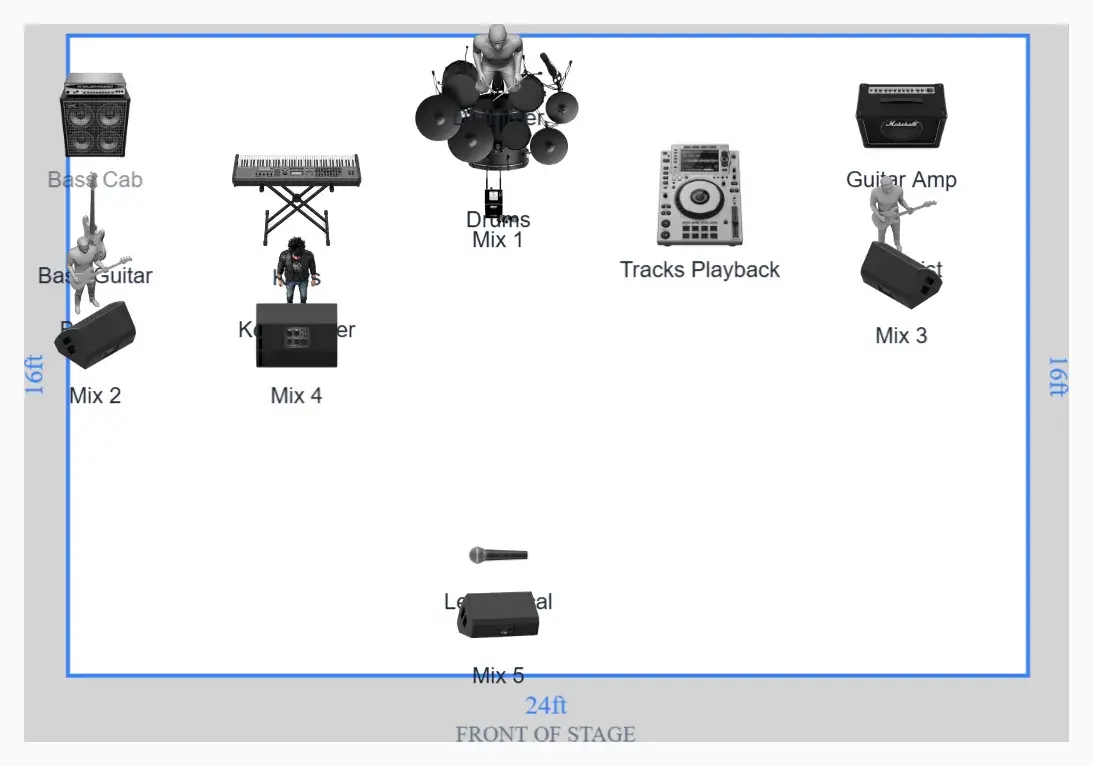
Stereo is two complete signal paths
A stereo keyboard or playback rig does not become stereo because one connector
is labelled stereo. The system needs a left output and a right output, two
appropriate cables or DI channels, two stage-box inputs, and two console
channels. Those channels are normally linked and panned left/right at front of
house.
On the input list, write Keys L and Keys R or Tracks L and Tracks R on
separate rows. Avoid one row that says Keys stereo; it hides the real channel
count from the person preparing the patch.
| Output plan | Input-list rows |
|---|---|
| Mono keyboard | Keys mono - one DI and one channel |
| Stereo keyboard | Keys L, Keys R - two DI channels and two console channels |
| Stereo tracks | Tracks L, Tracks R - isolated line or DI pair |
| Tracks plus click | Tracks L, Tracks R, Click - three independent outputs |
| Tracks, click, timecode | Tracks L, Tracks R, Click, LTC - four outputs with different destinations |
Keyboard connections
Many keyboards provide separate left/mono and right quarter-inch outputs. Using only the left/mono socket usually produces a summed mono signal, but confirm the instrument manual and patch. Some sounds collapse well; wide chorus, rotating speaker effects, piano ambience, and stereo delays can change significantly.
Use a quality dual-channel DI or two matched DIs for unbalanced outputs when the cable run is long or ground isolation is needed. If the keyboard provides true balanced line outputs and the stage system supports them, an appropriate balanced connection or line isolator may be preferable. Document what the artist provides instead of forcing every device through the same adapter.
Playback rigs
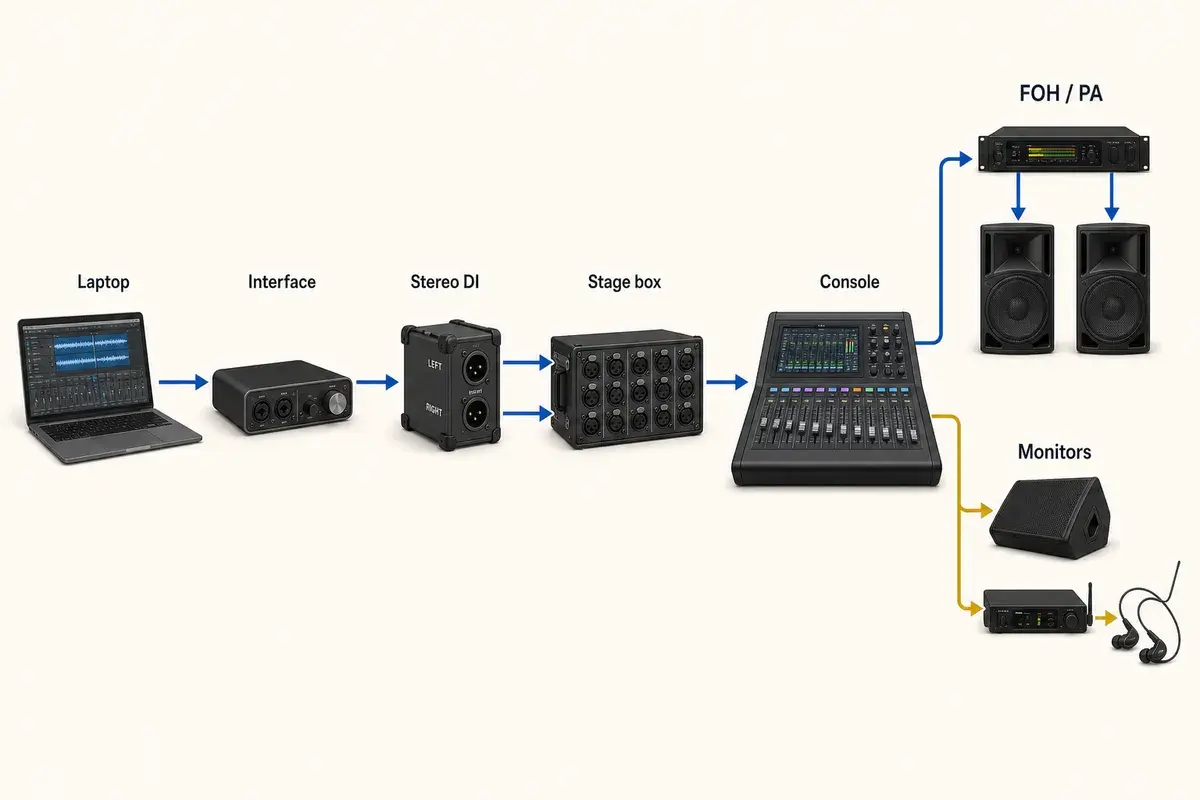
A reliable playback rig separates the audience program from performer and show control signals. A common compact configuration provides stereo tracks to front of house plus a dedicated click output for monitors. More complex systems add a spoken guide, SMPTE LTC, MIDI interface, redundant playback computer, and automatic switcher.
The stage plot should show where the computer, interface, playback operator, and DIs or isolators sit. The input list should show each audio output. The tech rider should explain redundancy, power, sync, and any console or lighting connections.
Click and timecode routing
Click must feed the required monitor mixes without entering the main PA. Guide or count tracks may go only to selected performers. LTC timecode is an audio-like signal intended for compatible show-control equipment, not a musical input for the audience mix. Label these destinations explicitly.
Do not put click on the right side of a stereo backing-track file and assume
every venue will split and route it correctly. That two-output arrangement can
work as tracks mono + click, but it is not stereo playback. Name it accurately
and test the exact interface and cable loom.
Mono fallback
Every touring stereo source should have a known fallback for venues with limited channels. For a keyboard, that may be the manufacturer's left/mono output. For playback, create and test a dedicated mono program output rather than relying on the console to combine a phase-sensitive stereo mix at the last minute.
Never join left and right outputs with a passive Y cable unless the device is specifically designed for it. Outputs can drive each other and produce level, distortion, or reliability problems. Sum in the source, a proper mixer, an isolator designed for summing, or the console.
Panning and monitor decisions
Front-of-house stereo panning should suit the room. A hard-panned part that disappears for half the audience is not helpful simply because the source file is stereo. Monitor mixes may use narrower panning or mono delivery depending on wedges, IEMs, and performer preference. The input list documents the channels; the engineer makes the final presentation decisions in the room.
Frequently asked questions
Does a stereo keyboard need two DI boxes?
It needs two DI channels or another appropriate two-channel balanced connection. A dual-channel DI is often the cleanest package.
Can the console sum stereo tracks to mono?
Often yes, but phase and balance can change. Prepare and test a deliberate mono fallback before the show.
Should click appear on the input list?
Yes. It occupies a physical input even when it routes only to monitors, and the notes should clearly say that it must not feed the main PA.
Field workflow: turn the advice into a usable advance
Stereo is a routing decision with twice the physical channel count. It can create valuable width and preserve programmed effects, but it also consumes inputs, DIs, stage-box sockets, console channels, and sometimes monitor outputs. Use stereo when the source benefits and the system can support it; carry a deliberate mono fallback rather than improvising one with adapters.
Use this workflow
- Identify every L/R output pair.
- Confirm balanced level and isolation needs.
- Keep pairs adjacent from loom through console.
- Choose PA and monitor panning intentionally.
- Prepare a source-side or proper console mono fallback.
Working example
Stereo tracks plus click are three outputs, not two. Stereo keys plus stereo tracks plus click are five. If a venue offers only four channels, the agreed fallback might be mono keys with stereo tracks and click, or mono program plus click, depending on which source loses less when summed.
Engineer’s note
Hard-panned material may disappear for listeners near one side of a wide room, while wedges are usually mono. The engineer may narrow the PA image or present the source differently in monitors. The artist should preserve the channels and describe the intent; the room determines the final presentation.
Adapt it to the venue without losing the source of truth
Keep one master document for the traveling lineup, then make a deliberate venue or format revision when the stage, backline, channel capacity, monitor system, or performer count changes. Put the revision date in the file and on the page. If a venue proposes a substitution, record the accepted change in the advance thread instead of quietly turning it into a permanent requirement.
When resources are limited, reduce the plan in an agreed order. Protect the sources and outputs that carry timing, pitch, safety, and show control first; simplify preferences second. A tested mono playback feed, shared wedge plan, reduced drum-mic package, or alternate backline choice is useful only when the band has approved it before the changeover clock starts.
Run a two-minute production review
Read the finished package from the perspective of a technician meeting the act for the first time. Count the physical connections, identify the artist handoff points, trace private cues to their destinations, and separate facts from requests. Then compare the terminology across the plot, list, rider, cable labels, and email. A source with three different names becomes three separate troubleshooting questions.
After the show, capture only changes that will travel. Update the master for a new performer, instrument, output, monitor system, or permanent rig change. Leave one-night venue substitutions in the date notes. This keeps a useful local workaround from becoming inaccurate information on every future advance.
Final verification
- Pairs are counted honestly.
- Panning intent is documented.
- Monitor format is considered.
- Mono fallback avoids Y cables.
Ask someone who did not build the document to review it for two minutes. If they cannot identify the performers, inputs, monitor plan, ownership, and unresolved questions without coaching, revise the labels before sending it. A fast independent read is the closest rehearsal for how production will use the material.