Stage Plot Pro Team /
The Wedding Gig Survival Guide for Working Bar Bands
Ballrooms, tents, and banquet halls each break differently than a club stage. A clear stage plot keeps a wedding gig from turning into a last minute scramble.
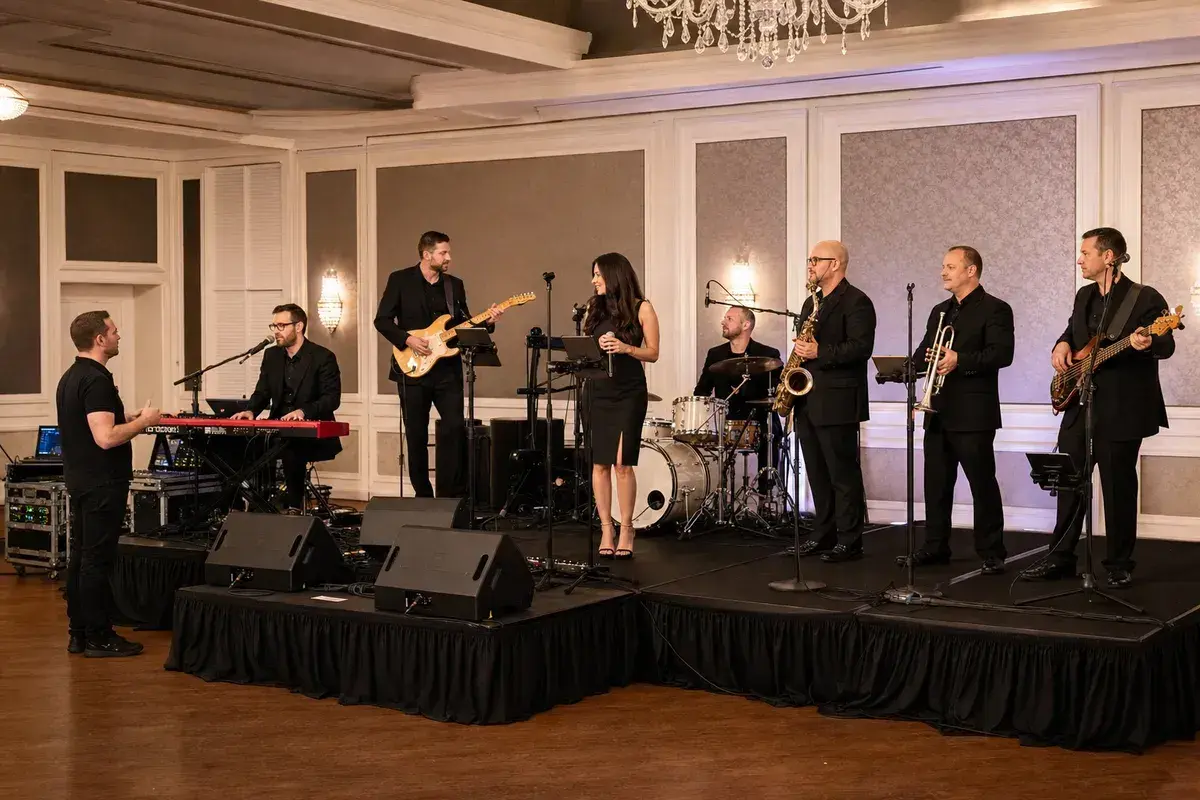
Wedding gigs are their own category of load in
A club has a stage, a house system, and an engineer who has probably heard
your genre before. A wedding venue might have none of those things as a
given. You could be setting up in a ballroom with carpeted risers and no
proper stage lip, a tent with a generator you are sharing with catering, or
a banquet hall where the "stage" is a cleared corner near the head table.
The band that survives this gig without a mid-ceremony scramble is the one
that planned for the room instead of assuming it would look like the last
one.
Know your footprint before you show up
Ballroom and tent gigs are usually tighter on space than a club stage, and
risers are not guaranteed. Before you build your stage plot, get real
dimensions from the venue or planner, not a guess. Our stage dimensions
guide covers how to ask for and use that
information so your plot reflects the actual footprint you will have, not
the footprint you wish you had.
Build the plot around the whole day, not just the reception set
A wedding gig often means two different setups: a smaller acoustic
configuration for the ceremony or cocktail hour, then a full band setup for
the reception. If your lineup shrinks for the first set, an acoustic
duo or jazz trio
template gives you a sensible starting point for that portion. For the full
reception band, our eight piece wedding
band template already
accounts for a horn section and rhythm section in a layout built for
exactly this kind of gig. Build both in the same plot or as two saved
plots, whichever matches how your band actually splits the day.
Gear checks matter more when there is no backup on site
A club gig usually has a house engineer and sometimes house backline to
fall back on. A wedding venue often has neither. If a DI box or a cable
fails, you are the only line of defense. Run through our band gear
checklist the week of the gig, not the night
before, so a dead battery or a missing cable gets caught with time to fix
it instead of during cocktail hour.
Soundcheck happens on a different clock
Wedding soundchecks often get squeezed by the timeline of the actual event,
photos running long, a delayed grand entrance, guests arriving early. Our
soundcheck guide covers how to run an efficient
check when you might only get fifteen real minutes instead of the hour you
would get at a normal gig. A clear stage plot and input list built ahead of
time is what makes a short check actually workable instead of a scramble.
Build it once, reuse it for every wedding
Once you have a wedding-ready plot built in the Stage Plot Pro
editor, save it and duplicate it for the next booking instead
of starting over. Adjust for the venue's actual footprint, update the
input list if your lineup changes, and you walk into every wedding gig with
a plan instead of an assumption.
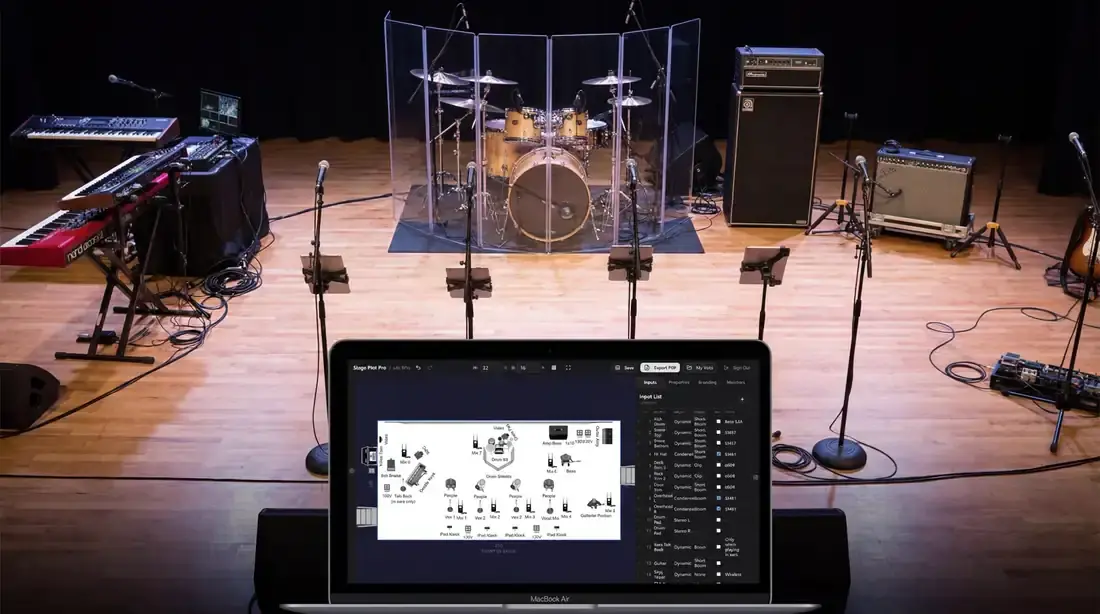
A real-world production scenario
Wedding production combines a tight room, a strict timeline, speeches, formalities, and guests who occupy the same paths the crew needs for load-in. A band can play the same repertoire as a club show and still require a different technical plan. The stage may be shallow, power may be shared with décor, the dance floor may separate front of house from the stage, and silence may be required until the room turn is complete.
A repeatable workflow
- Confirm access time, loading route, parking, elevator use, room turn, and hard soundcheck cutoff with the planner or venue.
- Build a ballroom-specific plot using the actual riser and stage dimensions, not the band’s preferred club footprint.
- Advance speech microphones, playback devices, ceremony audio, and any DJ handoff as separate systems or named inputs.
- Plan cable paths that avoid guest traffic, service doors, fire exits, and the dance floor.
- Save a compact fallback layout for the common moment when décor or tables reduce the promised stage.
The order matters. It moves from known facts to local decisions and leaves the room-dependent work with the people who can hear and inspect the system. Skipping directly to preferences is how a polished document becomes difficult to execute.
Decisions to settle before the show
- Who provides and operates speech microphones?
- Does the band cover ceremony, cocktails, dinner, and dancing or only the main reception?
- Where can front of house sit without losing sightlines or blocking service?
- What is the safe response when the room manager requests a lower volume?
If an answer depends on the venue, write the question and the preferred solution instead of presenting an assumption as a requirement. That gives production something concrete to confirm and prevents avoidable surprises at load-in.
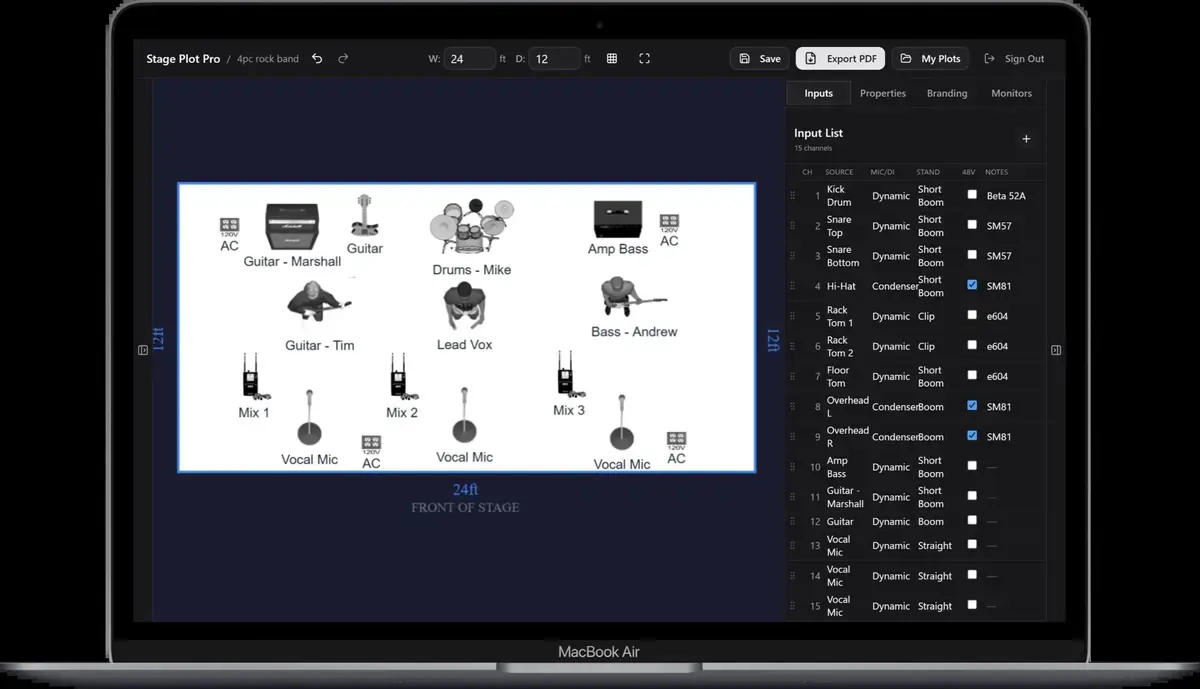
Make the handoff unambiguous
The final advance should join the stage plot to the event timeline. Production needs to know not only what plugs in, but when the room is accessible, when noise is permitted, when speeches begin, and when the band must be fully clear. A precise schedule protects the performance just as much as a precise input list.
The final package should survive a quick read on a phone, a printed copy at the stage rack, and a conversation over intercom. Use current filenames, readable labels, and the same terminology everywhere. When the documents disagree, the crew has to stop and discover which version reflects the real show.
Prove the plan before load-in
Do a tabletop check with someone who did not build the document. Give them two minutes and ask them to explain the physical setup, count the required inputs and outputs, identify artist-supplied gear, and point to the first likely production question. Do not coach them through it. Every pause exposes a label, assumption, or missing relationship that will also slow a venue crew.
Then trace the workflow in signal-flow order. Start with the source, follow the connection to the stage input, confirm the console channel or destination, and finish at the required PA, monitor, recording, or show-control output. This catches a different class of mistake than proofreading. A document can be spelled perfectly while describing an impossible or incomplete route.
Control revisions like production equipment
Keep one master version, create deliberate venue-specific copies, and place the revision date where it remains visible after printing or separating pages. A descriptive filename with the band name, document type, and ISO date is easier to trust than a file called final-v2-new. When a last-minute change is unavoidable, state exactly what changed in the email instead of forcing production to compare two PDFs.
After the show, update the master only when the change will travel. A one-night local substitution belongs in the venue notes; a new keyboard, vocalist, playback output, or monitor system belongs in the master. That discipline keeps useful local compromises from quietly becoming false requirements on every future date.
Final preflight checklist
- Confirm the lineup, stage orientation, source count, monitor count, and ownership of all artist-supplied equipment.
- Compare the plot, input list, and rider for the same names and revision date.
- Identify substitutions and fallbacks before they become time-critical.
- Open every exported file once and check that text, images, and page breaks remain readable.
- Send one technical contact who can answer production questions promptly.